
How to Build a Multilingual Joomla Website in 2026: Complete Guide
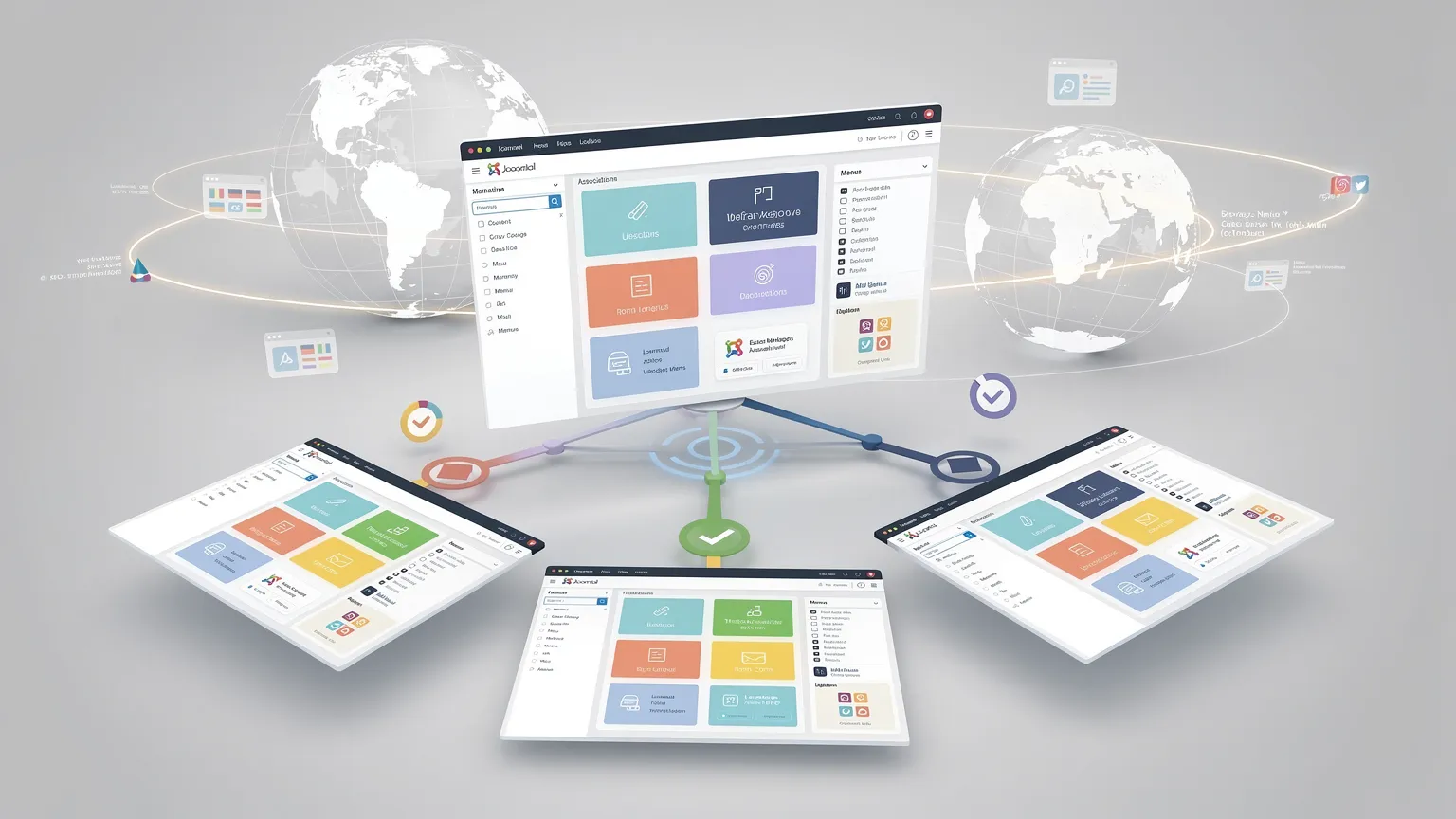
Learn how to build a multilingual Joomla website using native features, with language-specific content, menus, associations, SEO-friendly URLs and systematic testing.
Building a multilingual website does not necessarily require a third-party translation extension. Joomla includes a comprehensive multilingual system in its core, allowing you to manage languages, translated content, menus and associations directly from the CMS.
The setup is more involved than simply translating a few articles, however. A reliable multilingual Joomla website requires several elements to work together: installed languages, content languages, language-specific content, menus, associations and the Language Filter plugin.
This guide explains how to build a multilingual Joomla website using Joomla's native features, while keeping SEO, maintainability and future translations in mind.
How multilingual Joomla websites work
Joomla treats each language version of your content as a separate item.
For example, an English and French version of the same article are normally two different Joomla articles:
How to Configure JoomlaComment configurer Joomla
Rather than storing both translations inside a single article, Joomla connects them using multilingual associations.
The same principle applies to other types of content, including menu items, categories and contacts.
This architecture gives each language its own URL, metadata and publishing configuration while allowing Joomla to understand that the items represent equivalent content in different languages.
A typical multilingual structure might therefore look like:
example.com/en/tutorials/configure-joomla
and:
example.com/fr/tutoriels/configurer-joomla
This separation is particularly useful for SEO because each language version can have its own title, alias, metadata and URL.
1. Install the languages you need
Start by installing the required Joomla language packs.
In the Joomla administrator interface, open the language installation screen and install each language required by your website.
For example:
- English
- French
- German
- Spanish
Installing an administration or site language does not automatically make your content multilingual. It simply makes that language available to Joomla.
The next step is to configure it as a Content Language.
2. Configure Content Languages
Content Languages tell Joomla which languages can be assigned to articles, categories, menu items and other content.
For each language, Joomla needs information such as:
- language title;
- language tag;
- URL language code;
- published status.
For French, for example, the language tag is normally:
fr-FR
while the URL language code can simply be:
fr
For English you might use:
en-GB
with:
en
as the URL code.
This distinction matters. The language tag identifies the language and locale, while the URL code determines how Joomla represents that language in multilingual URLs.
Once configured and published, these languages become available when assigning a language to content.
3. Enable the System – Language Filter plugin
The System – Language Filter plugin is one of the key components of Joomla's multilingual system.
It allows Joomla to display content according to the active language and helps determine which language version should be shown to a visitor.
Enable the plugin from the Joomla plugin manager.
Depending on your site's requirements, its options can control behaviour such as language selection and URL handling.
Avoid changing multilingual URL settings casually once the website has been indexed by search engines. Changing the URL strategy on an established site can alter existing URLs and may therefore require redirects.
4. Create a content structure for each language
A multilingual Joomla website is easier to maintain when its structure is planned before large amounts of content are created.
Suppose your English website contains:
- Home
- Tutorials
- News
- Contact
The French version could contain:
- Accueil
- Tutoriels
- Actualités
- Contact
The two structures do not have to be perfectly identical, but keeping a logical relationship between them makes navigation and associations much easier to manage.
The same principle applies to categories.
Instead of using one category for every language, a larger site may benefit from language-specific categories such as:
- Tutorials — English
- Tutoriels — French
Each category can then be assigned to its appropriate language and associated with its equivalent.
5. Create a menu for each language
Menus are a fundamental part of Joomla's multilingual architecture.
A common configuration is to create a dedicated main menu for every language.
For example:
English Main Menu
- Home
- Tutorials
- News
- Contact
French Main Menu
- Accueil
- Tutoriels
- Actualités
- Contact
Each menu item should be assigned to the appropriate language.
This prevents French navigation items from appearing in the English interface and vice versa.
It also allows Joomla to determine the correct navigation context when a visitor changes language.
6. Create a home page for each language
Each language needs an appropriate home menu item.
This is an important step because Joomla uses language-specific home pages to determine where visitors should arrive for each language.
You might therefore have:
/en/
for English and:
/fr/
for French.
Make sure each home menu item is assigned to the correct language.
A missing or incorrectly assigned language home page is a common cause of confusing redirects or unexpected multilingual navigation behaviour.
7. Translate your content
You can now create the different language versions of your articles.
Imagine an English article titled:
How to Secure a Joomla Website
Create the English article and assign it to English.
Then create its French equivalent:
Comment sécuriser un site Joomla
and assign that article to French.
Do not simply duplicate the English article and leave its language set to “All”.
For genuinely multilingual content, each translated item should normally be assigned to its corresponding language.
This allows Joomla to filter content correctly and associate the translations.
8. Associate translated articles
Creating two translated articles is not enough. Joomla also needs to know that they represent the same content.
This is where Associations become important.
Associate the English article with its French equivalent.
Once the association exists, Joomla can use that relationship when a visitor switches languages.
Instead of sending the visitor to a generic French homepage, Joomla can direct them to the French version of the article they are currently reading.
Associations can be managed while editing supported content or through Joomla's multilingual associations tools.
For a site containing many languages, the dedicated associations interface can make translation management considerably easier.
9. Associate menu items too
Article associations are only part of the configuration.
Where appropriate, corresponding menu items should also be associated.
For example:
Tutorials ↔ Tutoriels
and:
Contact ↔ Contact
Correct menu associations help Joomla maintain navigation context when users switch languages.
This becomes especially important on sites with complex menu structures.
10. Add a Language Switcher
Joomla includes a Language Switcher module that lets visitors change the active language.
Create or publish the module in an appropriate template position.
Depending on your configuration and template, the switcher can display language names, flags or another presentation.
The important point is not its appearance but what happens after the user selects another language.
If associations have been configured correctly, Joomla should take the visitor to the equivalent translated page whenever one exists.
If no equivalent exists, behaviour depends on the site's multilingual configuration.
Test this carefully rather than assuming that every language switch will behave correctly.
11. Build SEO-friendly multilingual URLs
A clear multilingual URL structure helps both visitors and search engines understand your site.
A typical Joomla configuration can produce URLs such as:
example.com/en/tutorials/joomla-security
and:
example.com/fr/tutoriels/securite-joomla
This is preferable to trying to force identical aliases across every language.
Translate aliases naturally when appropriate.
The French URL should make sense to a French-speaking visitor, just as the English URL should make sense to an English-speaking visitor.
Before launching the site, verify that:
- SEF URLs are enabled;
- URL rewriting is correctly configured if used;
- aliases are meaningful;
- there are no unnecessary duplicate URLs;
- every language version returns the expected HTTP status.
12. Understand hreflang and language relationships
Search engines need to understand that translated pages are language alternatives rather than unrelated duplicate pages.
Multilingual Joomla configurations can expose language relationships based on the site's multilingual setup and associated content.
The important prerequisite is consistency.
If an English article has French, German and Spanish equivalents, those relationships should be represented correctly across the translated versions.
Do not assume that simply installing several languages is enough.
After configuring the site, inspect the generated HTML and verify the language-alternative markup actually produced by your Joomla version and configuration.
This is particularly important after changing templates, routing behaviour or SEO extensions.
13. Do not automatically canonicalise every translation to English
A translated page is not necessarily a duplicate that should point its canonical URL to the English page.
If the French page is a legitimate French version intended to appear in French search results, it should normally remain independently indexable.
For example:
/en/joomla-security
and:
/fr/securite-joomla
serve different audiences.
The relationship between these pages is primarily a language-alternative relationship, not a reason to eliminate one of them from search results.
Always inspect the actual canonical and language markup generated by your site rather than applying the same SEO rule to every multilingual page.
14. Translate SEO elements, not just visible text
A common multilingual SEO mistake is translating the article body while leaving search-related elements unchanged.
For each language, review:
- page title;
- alias;
- meta description;
- headings;
- image alternative text;
- internal links;
- structured data where applicable.
A French page should not accidentally retain an English meta description simply because the visible article has been translated.
SEO localisation should be treated as part of the translation process.
15. Keep internal links language-consistent
Internal links deserve particular attention on multilingual websites.
An English article should normally link to English resources when equivalent pages exist.
Likewise, French content should preferentially link to French versions.
Otherwise, visitors may unexpectedly switch languages while navigating through the site.
This can also make the site's language structure less coherent for crawlers.
Review internal links when translating content rather than copying them blindly from the source article.
16. Handle untranslated content deliberately
Not every article has to exist in every language.
The important point is to define what should happen when a translation is missing.
Possible strategies include:
- leaving the content unavailable in that language;
- directing visitors to a relevant language landing page;
- publishing a translation later;
- deliberately exposing selected language-neutral content.
Avoid creating empty or extremely weak translated pages simply to make every language appear complete.
A useful original-language page is generally preferable to a low-quality automatic translation published only for coverage.
17. Test the multilingual site as a visitor
Administrator configuration can look correct while the public site still contains multilingual errors.
Test the frontend manually.
For each language, check:
- the homepage;
- main navigation;
- article URLs;
- category pages;
- breadcrumbs;
- modules;
- contact forms;
- search;
- pagination;
- language switching;
- 404 pages;
- login and account pages if applicable.
Switch languages from several different article pages.
The goal is to confirm that users remain in the equivalent context whenever a translation exists.
18. Crawl the site before launch
For a large multilingual website, manual testing alone is not enough.
A crawl can reveal:
- broken links;
- redirect chains;
- incorrect canonicals;
- missing titles;
- duplicate metadata;
- unexpected language URLs;
- orphan pages;
- incorrect HTTP status codes.
It is particularly useful after migrating an existing Joomla site to a multilingual structure because URL changes can otherwise go unnoticed.
19. Monitor multilingual indexing after launch
After launch, use search-engine webmaster tools to monitor how the different language sections are being indexed.
Look for:
- excluded translated pages;
- unexpected canonical choices;
- 404 errors;
- redirected legacy URLs;
- pages discovered but not indexed;
- duplicate-content signals.
Also verify your sitemap strategy.
A multilingual site's sitemap should expose the URLs that you actually want search engines to crawl and index.
Do not rely solely on the fact that a page is accessible through the language switcher.
Common Joomla multilingual mistakes
Most multilingual Joomla problems come from configuration inconsistencies rather than from the translation itself.
Common mistakes include:
- assigning translated content to “All” instead of a specific language;
- forgetting language-specific home pages;
- mixing languages inside the same menu;
- creating translations without associating them;
- associating articles but not relevant menu items;
- changing URL language settings after indexing without redirects;
- leaving metadata untranslated;
- linking French pages systematically to English content;
- publishing poor automatic translations without review;
- assuming hreflang or canonical markup is correct without checking the generated HTML.
A multilingual site should therefore be tested as a complete system rather than as a collection of translated articles.
A practical multilingual workflow
For a new Joomla website, a reliable workflow is:
- Install Joomla.
- Install the required languages.
- Configure and publish Content Languages.
- Enable and configure the Language Filter plugin.
- Plan language-specific categories where appropriate.
- Create one menu for each language.
- Configure a home page for each language.
- Create the source content.
- Create each translation.
- Associate equivalent articles.
- Associate corresponding menu items.
- Publish and configure the Language Switcher.
- Review URLs and metadata.
- Verify language-alternative and canonical markup in the frontend.
- Test navigation and language switching.
- Crawl the site.
- Submit and monitor the relevant URLs through search-engine webmaster tools.
Following a consistent process is much safer than adding multilingual features after hundreds of articles have already been published.
Do you need a multilingual extension?
For many Joomla websites, no.
Joomla's core multilingual functionality already provides the essential architecture required for manually managed multilingual content.
A third-party solution may still be useful when you need features such as:
- external translation-service integration;
- advanced translation workflows;
- large-scale translation management;
- specialised localisation processes;
- automated translation pipelines.
But an extension should solve a specific operational problem rather than compensate for an incorrectly configured Joomla multilingual setup.
For a small or medium-sized website whose translations are manually created and reviewed, Joomla's native multilingual system can be sufficient.
Final checklist
Before considering your Joomla multilingual configuration complete, verify that:
- every required language is installed;
- Content Languages are published;
- the Language Filter plugin is enabled;
- each language has an appropriate home page;
- menus are correctly assigned by language;
- translated articles use the correct language;
- equivalent content is associated;
- relevant menu items are associated;
- the Language Switcher works from individual pages;
- URLs are clean and stable;
- metadata is translated;
- internal links stay in the appropriate language when possible;
- canonical and language-alternative markup has been inspected;
- translated pages return the expected status codes;
- legacy URLs are redirected only when a confirmed replacement exists;
- the site has been tested and crawled.
Conclusion
Joomla's multilingual system is powerful because multilingual content is treated as structured content rather than as several translations hidden inside a single page.
That approach requires more initial configuration, but it gives you precise control over URLs, navigation, metadata and individual language versions.
The key is to think beyond translation. A successful multilingual Joomla site requires language-specific content, coherent menus, correct associations, stable URLs and systematic frontend testing.
Once those foundations are in place, Joomla can support anything from a simple bilingual website to a much larger multilingual publishing platform without requiring a third-party extension for the core language architecture.