
How to Handle API Timeouts, Rate Limits, and Retries in PHP

Learn how to build reliable PHP API integrations with connection timeouts, HTTP error handling, exponential backoff, Retry-After support, and safe retry strategies.
An API integration works perfectly during development. Then, one day, your scheduled task stops halfway through. A remote service responds with HTTP 429, a connection times out, or an HTTP 503 error interrupts a synchronization.
The temptation is to retry the request immediately.
But retrying without a strategy can make the problem worse. It can overload an already struggling API, exceed rate limits, or accidentally create duplicate orders and payments.
A reliable API client needs more than a successful curl_exec() call.
In this tutorial, we'll build a practical PHP HTTP client that handles connection timeouts, HTTP errors, rate limits, and temporary failures. We'll also explain when retrying is safe, when it isn't, and how to diagnose problems in production.
The examples use PHP's built-in cURL extension, without Composer or third-party dependencies.
1. Understand the different types of API failures
Not every unsuccessful request should be handled the same way.
| Failure | Typical cause | Recommended action |
|---|---|---|
| Connection timeout | Server unreachable or slow connection | Retry cautiously |
| HTTP 400 | Invalid request parameters | Fix the request |
| HTTP 401 | Invalid or expired credentials | Check authentication |
| HTTP 404 | Resource not found | Check resource identifier |
| HTTP 429 | API rate limit exceeded | Respect Retry-After |
| HTTP 500 | Internal server error | Retry selectively |
| HTTP 503 | Temporary service unavailability | Retry with delay |
| Invalid JSON | Unexpected response format | Log and investigate |
A network error is also different from an HTTP error.
When an API returns HTTP 500, the HTTP request completed and the server returned an error response.
When cURL reports a connection failure, your application might not have received any HTTP response at all.
That distinction matters when deciding whether to retry.
2. Always configure connection and request timeouts
PHP cURL provides two particularly useful settings:
CURLOPT_CONNECTTIMEOUT => 5,
CURLOPT_TIMEOUT => 15,
CURLOPT_CONNECTTIMEOUT limits the connection phase, while CURLOPT_TIMEOUT limits the overall transfer duration. Both are documented in PHP's official cURL reference.
Without appropriate limits, a slow external service can occupy PHP workers for much longer than expected.
A practical starting point for a conventional JSON API might be five seconds for connection establishment and fifteen seconds for the complete request.
These aren't universal values. A file upload or long-running report generation may need a different timeout policy.
Make your first API request
<?php
declare(strict_types=1);

$url = 'https://api.example.com/products';

$curl = curl_init($url);

curl_setopt_array($curl, [
    CURLOPT_RETURNTRANSFER => true,
    CURLOPT_CONNECTTIMEOUT => 5,
    CURLOPT_TIMEOUT => 15,
    CURLOPT_FOLLOWLOCATION => false,
]);

$response = curl_exec($curl);
$statusCode = curl_getinfo(
    $curl,
    CURLINFO_HTTP_CODE
);

if ($response === false) {
    $error = curl_error($curl);

    curl_close($curl);

    throw new RuntimeException(
        'API request failed: ' . $error
    );
}

curl_close($curl);

echo 'HTTP status: ' . $statusCode;
This establishes a useful foundation, but it doesn't yet handle rate limits or retryable failures.
3. Understand HTTP 429 and Retry-After
HTTP 429 means the client has sent too many requests within a period defined by the API provider.
Some APIs impose limits per minute, per hour, per API key, or per account.
A server may respond with:
HTTP/1.1 429 Too Many Requests
Retry-After: 60
Content-Type: application/json
The Retry-After header tells the client how long it should wait before trying again.
The header can contain either a number of seconds or an HTTP date.
For example:
Retry-After: 120Or:
Retry-After: Wed, 25 Nov 2026 10:00:00 GMTA well-behaved client should respect this instruction rather than repeatedly sending requests.
If the server doesn't provide a retry delay, your application needs a fallback strategy.
4. Use exponential backoff instead of immediate retries
Exponential backoff increases the waiting time after successive failures.
For example:
| Retry | Example delay |
|---|---|
| 1 | 1 second |
| 2 | 2 seconds |
| 3 | 4 seconds |
| 4 | 8 seconds |
Instead of retrying every second, the application waits progressively longer.
Adding a small random variation, called jitter, helps prevent many clients from retrying simultaneously.
Here's a reusable delay function:
<?php
declare(strict_types=1);

function getRetryDelayMs(int $attempt): int
{
    $baseDelay = 1000;
    $maximumDelay = 30000;

    $exponentialDelay = min(
        $maximumDelay,
        $baseDelay * (2 ** ($attempt - 1))
    );

    return random_int(
        0,
        (int)$exponentialDelay
    );
}
This uses full jitter: the actual delay is randomly selected between zero and the exponential cap.
The random delay reduces synchronized retry bursts, although it doesn't replace an explicit server-provided Retry-After instruction.
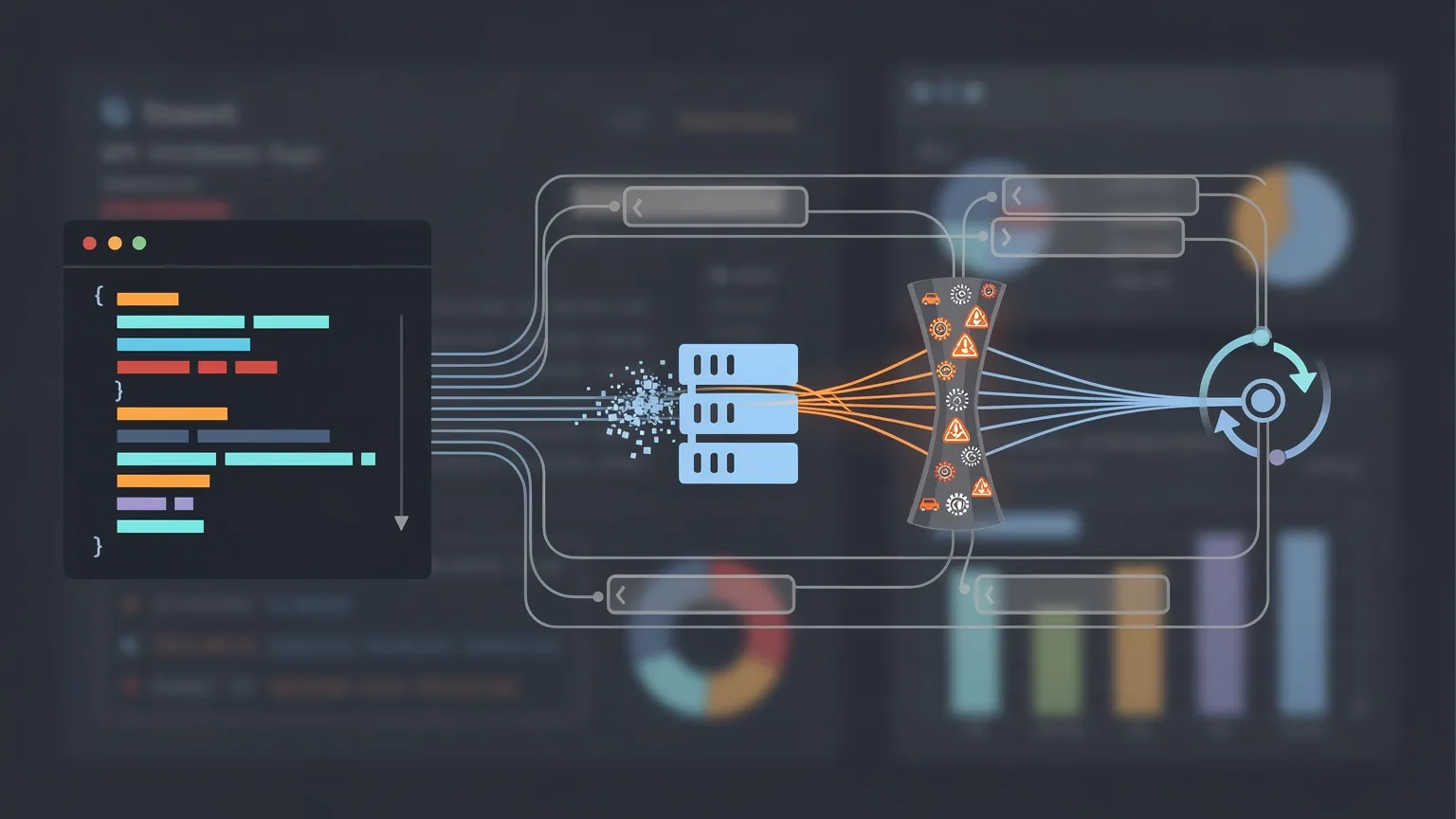
5. Build a reusable PHP API client
Let's combine the previous concepts into a working implementation.
Our client will:
- Set connection and overall request timeouts.
- Return the HTTP status and response body.
- Detect transport failures.
- Retry selected temporary failures.
- Respect
Retry-Afterwhen present. - Limit the number of attempts.
- Avoid retrying non-idempotent operations automatically.
<?php
declare(strict_types=1);

/**
 * Perform an HTTP GET request with bounded retries.
 *
 * Use only with trusted, configured API URLs.
 */
function apiGet(
    string $url,
    int $maxAttempts = 3
): array {
    if ($maxAttempts < 1) {
        throw new InvalidArgumentException(
            'maxAttempts must be at least 1.'
        );
    }

    for ($attempt = 1; $attempt <= $maxAttempts; $attempt++) {
        $headers = [];

        $curl = curl_init($url);

        if ($curl === false) {
            throw new RuntimeException(
                'Unable to initialize cURL.'
            );
        }

        curl_setopt_array($curl, [
            CURLOPT_RETURNTRANSFER => true,
            CURLOPT_CONNECTTIMEOUT => 5,
            CURLOPT_TIMEOUT => 15,
            CURLOPT_FOLLOWLOCATION => false,
            CURLOPT_HTTPGET => true,
            CURLOPT_HEADERFUNCTION => static function (
                $curl,
                string $headerLine
            ) use (&$headers): int {
                $length = strlen($headerLine);

                if (str_starts_with(
                    $headerLine,
                    'HTTP/'
                )) {
                    $headers = [];
                }

                $position = strpos(
                    $headerLine,
                    ':'
                );

                if ($position !== false) {
                    $name = strtolower(trim(
                        substr($headerLine, 0, $position)
                    ));

                    $value = trim(
                        substr($headerLine, $position + 1)
                    );

                    $headers[$name] = $value;
                }

                return $length;
            },
        ]);

        $body = curl_exec($curl);
        $curlError = curl_errno($curl);
        $statusCode = (int)curl_getinfo(
            $curl,
            CURLINFO_HTTP_CODE
        );

        curl_close($curl);

        $transportFailure = $body === false;

        $retryableStatus = in_array(
            $statusCode,
            [408, 429, 500, 502, 503, 504],
            true
        );

        if (!$transportFailure && !$retryableStatus) {
            return [
                'status' => $statusCode,
                'body' => $body,
                'headers' => $headers,
                'attempts' => $attempt,
            ];
        }

        if ($attempt === $maxAttempts) {
            throw new RuntimeException(
                'API request failed after '
                . $attempt
                . ' attempts. HTTP '
                . $statusCode
                . ', cURL error '
                . $curlError
            );
        }

        $delayMs = min(
            30000,
            1000 * (2 ** ($attempt - 1))
        );

        $retryAfter = $headers['retry-after'] ?? null;

        if ($retryAfter !== null) {
            if (ctype_digit($retryAfter)) {
                $delayMs = (int)$retryAfter * 1000;
            } else {
                $timestamp = strtotime($retryAfter);

                if ($timestamp !== false) {
                    $delayMs = max(
                        0,
                        $timestamp - time()
                    ) * 1000;
                }
            }
        } else {
            $delayMs = random_int(
                0,
                (int)$delayMs
            );
        }

        // Do not block this worker indefinitely.
        if ($delayMs > 30000) {
            throw new RuntimeException(
                'Retry deferred: waiting time exceeds '
                . 'the synchronous retry budget.'
            );
        }

        usleep((int)$delayMs * 1000);
    }

    throw new RuntimeException(
        'Unexpected retry state.'
    );
}
How to use it
<?php
declare(strict_types=1);

try {
    $result = apiGet(
        'https://api.example.com/products'
    );

    if ($result['status'] !== 200) {
        throw new RuntimeException(
            'Unexpected HTTP status: '
            . $result['status']
        );
    }

    $products = json_decode(
        $result['body'],
        true,
        512,
        JSON_THROW_ON_ERROR
    );

    echo 'API request completed after '
        . $result['attempts']
        . ' attempt(s).';

} catch (Throwable $exception) {
    error_log($exception->getMessage());
}
This implementation is intentionally limited to GET requests against trusted API endpoints.
It does not automatically retry POST, PUT, PATCH, or DELETE operations, because those require additional safeguards.
It also returns non-retryable HTTP responses to the caller, which must decide how to handle them.
For production systems, you should additionally validate response types, enforce response-size limits, and distinguish retryable transport errors from permanent TLS or configuration failures.
6. Why retrying POST requests can be dangerous
Imagine an ecommerce application sending this request:
POST /api/orders
Content-Type: application/json

{
  "product_id": 42,
  "quantity": 1
}
The remote API creates the order, but the connection drops before your application receives the response.
Your application sees a timeout.
Did the order fail?
Not necessarily. The order may already exist.
If your application immediately retries, it could create a second order.
This is why a timeout does not prove that an operation failed on the server.
Use idempotency keys when supported
Some APIs support idempotency keys.
For example:
Idempotency-Key: order-8f7a2cWhen the API provides a documented idempotency mechanism, reusing the same key for retries of the same logical operation can prevent duplicate processing.
But this behavior is API-specific. Adding an Idempotency-Key header doesn't automatically make an arbitrary API idempotent.
For operations involving payments, orders, subscriptions, or database modifications, follow the provider's official retry and idempotency documentation.
When no idempotency mechanism exists, you may need to query the operation's status or reconcile results before attempting it again.
7. Avoid sleeping inside long-running web requests

Our example uses usleep() to make the retry behavior easy to understand.
That can be acceptable for short operations with a tightly controlled retry budget.
However, a production website shouldn't keep PHP workers occupied for minutes while waiting for an external API.
Suppose an API responds with:
HTTP/1.1 429 Too Many Requests
Retry-After: 3600
Waiting one hour inside an HTTP request would be a poor design.
A better solution is to defer the operation.
For example, store a pending job:
Job ID: 1842
Status: pending
Attempts: 2
Next attempt: 2026-11-20 14:30:00 UTC
A scheduled worker can then process the job when it becomes eligible.
This approach is especially useful for:
- Product catalog synchronization.
- Email delivery.
- Social media publishing.
- Document processing.
- Inventory updates.
- Large API imports.
It also makes failures easier to monitor and recover.
8. Store retry information in a database
For a MariaDB-backed application, a simple job table could look like this:
CREATE TABLE api_jobs (
    id BIGINT UNSIGNED AUTO_INCREMENT PRIMARY KEY,
    job_type VARCHAR(100) NOT NULL,
    payload_json LONGTEXT NOT NULL,
    status VARCHAR(20) NOT NULL DEFAULT 'pending',
    attempts INT UNSIGNED NOT NULL DEFAULT 0,
    next_attempt_at DATETIME NOT NULL,
    last_error TEXT NULL,
    created_at DATETIME NOT NULL,
    updated_at DATETIME NOT NULL,
    INDEX idx_jobs_ready (
        status,
        next_attempt_at
    )
);
The worker selects jobs where:
SELECT id, job_type, payload_json
FROM api_jobs
WHERE status = 'pending'
AND next_attempt_at <= UTC_TIMESTAMP()
ORDER BY next_attempt_at, id
LIMIT 20;
This is only the selection part of a queue implementation.
If several workers can run simultaneously, jobs must be claimed atomically, using an appropriate transaction and locking strategy, to prevent duplicate processing.
The worker should also apply a maximum retry count and move permanently failing jobs into a state requiring investigation.
For a small application, this database-backed approach can be sufficient without introducing Redis or a dedicated message broker.
9. Log failures without exposing sensitive data
A useful API log should answer four questions:
- Which operation failed?
- Which remote service was involved?
- What was the HTTP status or transport error?
- When will the application retry?
For example:
[2026-11-20 13:25:00 UTC]
service=inventory-api
operation=sync-products
status=429
attempt=2
next_retry=2026-11-20T13:26:00Z
Avoid logging API keys, bearer tokens, full authorization headers, passwords, or unnecessary personal information.
If you need to correlate requests, use a generated request identifier.
For example:
$requestId = bin2hex(random_bytes(8));You can include this identifier in application logs and, when supported, send it to the remote API.
10. Test your retry strategy before production
A retry mechanism should be tested against predictable failure scenarios.
You don't need to wait for a real API outage.
A local test endpoint can deliberately return specific status codes.
For example:
<?php
declare(strict_types=1);

header('Content-Type: application/json');

http_response_code(429);
header('Retry-After: 3');

echo json_encode([
    'error' => 'rate_limit_exceeded',
]);
Run this endpoint only in a local or protected test environment.
Then verify that your client:
- Detects HTTP 429.
- Reads the
Retry-Afterheader. - Waits before retrying.
- Stops after the configured number of attempts.
- Records the failure without exposing secrets.
Repeat with HTTP 503 and a deliberately slow endpoint.
Also test an HTTP 400 response to confirm that the client doesn't retry permanent request errors.
Finally, test an operation that may have succeeded before the connection failed. This is essential for payment and order integrations.
11. A production checklist for reliable API integrations
Before deploying an API integration, verify the following:
| Check | Expected behavior |
|---|---|
| Connection timeout | Defined and tested |
| Overall timeout | Defined and tested |
| HTTP 429 | Respects rate limits |
| HTTP 5xx | Retries selectively |
| HTTP 4xx | No blind retries |
| Retry limit | Prevents endless loops |
| Retry delay | Backoff with jitter |
| POST operations | Idempotency or reconciliation |
| Long waiting periods | Deferred to a worker |
| Logs | Useful, private, sanitized |
| Worker concurrency | Duplicate execution prevented |
| Permanent failures | Visible and recoverable |
Conclusion: reliable APIs require controlled failure handling
External APIs are never perfectly available.
Even a well-maintained service can experience temporary overload, network interruptions, or rate limiting.
The goal isn't to eliminate every failure. It's to make your application respond predictably when failures happen.
Start with sensible timeouts and explicit HTTP error handling. Add bounded retries with exponential backoff, respect server-provided retry delays, and avoid automatically repeating operations that could create duplicate data.
For more complex integrations, move retries into a persistent job queue instead of keeping web requests open.
These principles apply to almost every modern PHP application, whether you're building a CMS extension, synchronizing an ecommerce catalog, sending transactional emails, or integrating a payment service.
A reliable API client is one that knows not only how to send a request, but also when to retry, when to wait, and when to stop.