
How to Detect Unauthorized File Changes on Your Website with PHP
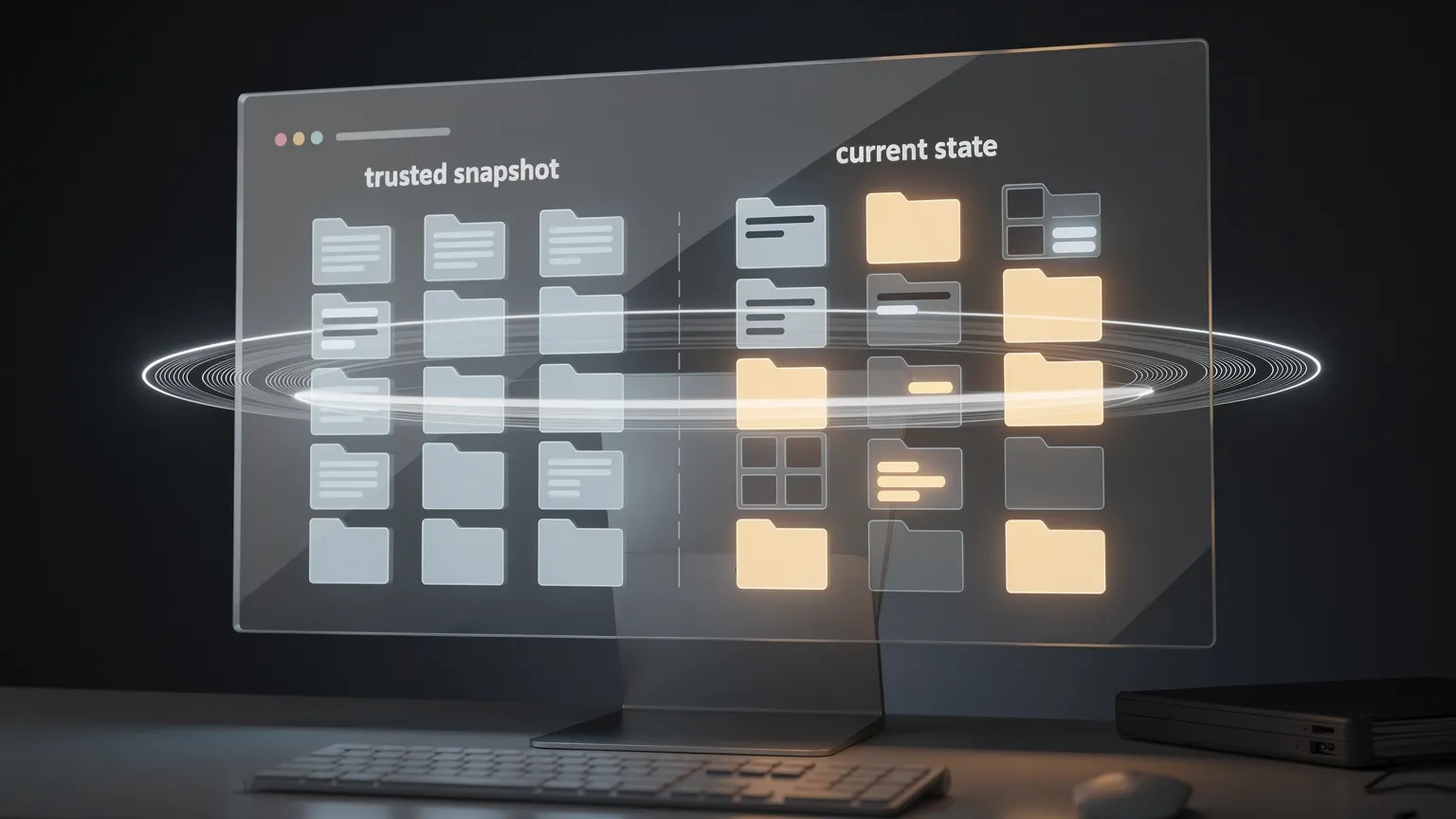
Learn how to detect unexpected changes to your website’s PHP files using a lightweight file integrity monitor. Build a practical PHP scanner, compare trusted snapshots, and identify modified, added, or deleted files without Composer.
Imagine opening your website one morning and discovering something has changed. A page redirects visitors, a PHP file contains unfamiliar code, or a plugin behaves differently despite no planned update.
Which files changed? Checking hundreds manually is unrealistic. File integrity monitoring (FIM) compares the current filesystem against a trusted snapshot. This tutorial builds a small PHP scanner for custom sites, extensions and shared hosting, without Composer or a database.
1. What is file integrity monitoring?
A monitor records paths and cryptographic hashes of selected files, then checks them again. It reports ADDED, MODIFIED and DELETED files. These differences are investigation leads, not proof of an attack: normal deployments also change files.
For example:
website/
├── index.php
├── includes/
│   ├── bootstrap.php
│   └── database.php
└── plugins/
    └── payment/gateway.php
A later scan might report:
MODIFIED  includes/bootstrap.php
ADDED     plugins/payment/debug-shell.php
DELETED   includes/database.php
The crucial requirement is a trusted baseline. If a site was compromised before the initial snapshot, malicious files may already be recorded as normal.
2. Build a scanner or use an existing tool?
Before coding, check your platform. On WordPress, WP-CLI verifies core files against official checksums:
wp core verify-checksums
wp plugin verify-checksums --all
The plugin command primarily covers plugins hosted in the WordPress.org repository; custom and commercial plugins require another reference. On Joomla, established extensions such as Akeeba Admin Tools offer file-change monitoring. Git-managed applications can also compare deployed artifacts against an approved release.
| Situation | Starting point |
|---|---|
| WordPress core and repository plugins | WP-CLI checksum verification |
| Joomla with ongoing security needs | Established security extension |
| Custom PHP site or custom extensions | Small PHP integrity scanner |
| Several servers requiring centralized alerts | Dedicated monitoring platform |
| Version-controlled deployment | Trusted build or release artifact |
A custom script is valuable when you need a focused check for your own code and can maintain its baseline and alerts.
3. Why SHA-256?
PHP provides hash_file():
$hash = hash_file('sha256', '/path/to/file.php');The result is a 64-character hexadecimal digest of the file contents. A changed file will almost certainly produce a different digest. We can therefore store a compact map of relative paths to SHA-256 values instead of duplicating every file.
A matching digest proves consistency with the reference, not that the reference or file is trustworthy. Establish the initial snapshot from a known-good deployment, preferably checked against source control or an approved release package.
4. Build a lightweight PHP file integrity scanner
Create integrity-check.php outside the public web directory, alongside a protected JSON baseline:
/home/account/
├── private/
│   ├── integrity-check.php
│   └── integrity-baseline.json
└── public_html/
    ├── index.php
    ├── includes/
    └── plugins/
The script has two commands: baseline creates the initial snapshot and scan compares it. It reports differences without deleting or replacing website files. This version also generates the formatted log and cron-friendly output described in section 7.
Complete PHP script (PHP 7.4+)
<?php
declare(strict_types=1);

/**
 * Lightweight file integrity scanner.
 * Run from PHP CLI, outside the public web directory.
 */
$siteRoot = '/home/account/public_html';
$baselinePath = '/home/account/private/integrity-baseline.json';

$extensions = ['php', 'js', 'css'];
$excludedDirectories = [
    'cache',
    'tmp',
    'logs',
    'node_modules',
    'vendor',
];

function collectFiles(
    string $siteRoot,
    array $extensions,
    array $excludedDirectories
): array {
    $files = [];
    $directory = new RecursiveDirectoryIterator(
        $siteRoot,
        FilesystemIterator::SKIP_DOTS
    );
    $filter = new RecursiveCallbackFilterIterator(
        $directory,
        static function ($item) use ($excludedDirectories): bool {
            if ($item->isLink()) {
                return false;
            }
            if ($item->isDir()) {
                return !in_array(
                    $item->getFilename(),
                    $excludedDirectories,
                    true
                );
            }
            return $item->isFile();
        }
    );
    $iterator = new RecursiveIteratorIterator($filter);

    foreach ($iterator as $file) {
        $filename = $file->getFilename();
        $extension = strtolower(pathinfo($filename, PATHINFO_EXTENSION));
        if (
            !in_array($extension, $extensions, true)
            && $filename !== '.htaccess'
        ) {
            continue;
        }
        $fullPath = $file->getPathname();
        $relativePath = str_replace(
            DIRECTORY_SEPARATOR,
            '/',
            substr($fullPath, strlen($siteRoot) + 1)
        );
        $hash = hash_file('sha256', $fullPath);
        if ($hash === false) {
            throw new RuntimeException('Unable to hash: ' . $relativePath);
        }
        $files[$relativePath] = $hash;
    }
    ksort($files, SORT_STRING);
    return $files;
}

function loadBaseline(string $baselinePath): array
{
    if (!is_file($baselinePath)) {
        throw new RuntimeException('Baseline not found. Run baseline first.');
    }
    $json = file_get_contents($baselinePath);
    if ($json === false) {
        throw new RuntimeException('Unable to read baseline.');
    }
    $data = json_decode($json, true, 512, JSON_THROW_ON_ERROR);
    if (
        !is_array($data)
        || ($data['version'] ?? null) !== 1
        || !isset($data['files'])
        || !is_array($data['files'])
    ) {
        throw new RuntimeException('Invalid baseline format.');
    }
    return $data['files'];
}

try {
    if (PHP_SAPI !== 'cli') {
        throw new RuntimeException('CLI execution only.');
    }
    $command = $argv[1] ?? '';
    if (!in_array($command, ['baseline', 'scan'], true)) {
        throw new RuntimeException(
            'Usage: php integrity-check.php baseline|scan'
        );
    }
    $siteRoot = realpath($siteRoot);
    if ($siteRoot === false || !is_dir($siteRoot)) {
        throw new RuntimeException('Invalid website directory.');
    }
    $current = collectFiles(
        $siteRoot,
        $extensions,
        $excludedDirectories
    );

    if ($command === 'baseline') {
        if (file_exists($baselinePath)) {
            throw new RuntimeException(
                'Baseline already exists. Replace it only after '
                . 'validating a trusted deployment.'
            );
        }
        $payload = [
            'version' => 1,
            'created_at' => gmdate('c'),
            'files' => $current,
        ];
        $json = json_encode(
            $payload,
            JSON_PRETTY_PRINT | JSON_THROW_ON_ERROR
        );
        if (file_put_contents($baselinePath, $json . PHP_EOL, LOCK_EX) === false) {
            throw new RuntimeException('Unable to write baseline.');
        }
        chmod($baselinePath, 0600);
        echo 'Baseline created: ' . count($current) . ' files' . PHP_EOL;
        exit(0);
    }

    $baseline = loadBaseline($baselinePath);
    $added = array_diff_key($current, $baseline);
    $deleted = array_diff_key($baseline, $current);
    $modified = [];
    foreach (array_intersect_key($current, $baseline) as $path => $hash) {
        if ($hash !== $baseline[$path]) {
            $modified[$path] = $hash;
        }
    }
    $changes = count($added) + count($modified) + count($deleted);
    if ($changes === 0) {
        exit(0);
    }

    $report = [
        '========================================',
        ' WEBSITE FILE INTEGRITY REPORT',
        '========================================',
        'Site: ' . $siteRoot,
        'Date: ' . gmdate('Y-m-d H:i:s') . ' UTC',
        'Files checked: ' . count($current),
        'Status: CHANGES DETECTED',
        '',
        'SUMMARY',
        '----------------------------------------',
        'Added:       ' . count($added),
        'Modified:    ' . count($modified),
        'Deleted:     ' . count($deleted),
        'Total:       ' . $changes,
        '',
        'DETAILS',
        '----------------------------------------',
    ];
    foreach (array_keys($added) as $path) {
        $report[] = '[ADDED]     ' . $path;
    }
    foreach (array_keys($modified) as $path) {
        $report[] = '[MODIFIED]  ' . $path;
    }
    foreach (array_keys($deleted) as $path) {
        $report[] = '[DELETED]   ' . $path;
    }
    $report[] = '';
    $report[] = '========================================';
    $report[] = 'ACTION REQUIRED';
    $report[] = 'Review unexpected changes against the';
    $report[] = 'last approved deployment.';
    $report[] = '========================================';

    $reportText = implode(PHP_EOL, $report) . PHP_EOL;
    $logDirectory = dirname($baselinePath) . '/logs';
    if (!is_dir($logDirectory)) {
        if (!mkdir($logDirectory, 0700, true) && !is_dir($logDirectory)) {
            throw new RuntimeException('Unable to create log directory.');
        }
    }
    $logPath = $logDirectory . '/integrity-' . gmdate('Y-m-d-His') . '.log';
    if (file_put_contents($logPath, $reportText, LOCK_EX) === false) {
        throw new RuntimeException('Unable to write integrity log.');
    }
    chmod($logPath, 0600);

    // A cron mailer can deliver this standard output.
    echo $reportText;
    exit(2);

} catch (Throwable $exception) {
    fwrite(STDERR, 'ERROR: ' . $exception->getMessage() . PHP_EOL);
    exit(1);
}
The scanner skips symbolic links and common generated directories. Review exclusions carefully: a writable directory containing executable PHP may be important to monitor. The baseline and logs must be inaccessible to the web server and protected from unauthorized writes.
5. Run the first scan
Edit $siteRoot and $baselinePath to match your hosting account. Ensure the private directory exists and is writable by the CLI user.
After verifying the website matches a known-good release, create the baseline:
php /home/account/private/integrity-check.php baselineExample:
Baseline created: 428 filesRun a comparison:
php /home/account/private/integrity-check.php scanWith no changes, the scan exits successfully and stays silent. Modify a harmless PHP file on a staging installation and run it again. The scanner will generate a report identifying the changed file.
6. Understand the results
- ADDED: a monitored file exists now but not in the baseline.
- MODIFIED: the same path exists in both snapshots, but its SHA-256 digest differs.
- DELETED: a file recorded in the baseline is missing.
First check deployment and extension update history. If a difference is unexplained, compare the file with its approved Git revision or release package. Investigate sensitive code, such as payment integrations, promptly. Preserve relevant evidence rather than blindly replacing production files.
7. Automate integrity checks and receive email alerts
Manual checks help during development. A scheduled scan is more useful when it saves a readable report and sends it by email only when something changes.
Most hosting control panels offer cron jobs. The complete script in section 4 already implements the necessary behavior:
- Calculate current file hashes.
- Compare with the protected baseline.
- If there are no differences, exit silently.
- Otherwise, save a formatted report under the private
logs/directory. - Print the same report to standard output so a configured cron mailer can deliver it.
Example plain-text report
========================================
 WEBSITE FILE INTEGRITY REPORT
========================================
Site: /home/account/public_html
Date: 2026-11-19 03:00:00 UTC
Files checked: 428
Status: CHANGES DETECTED

SUMMARY
----------------------------------------
Added:       1
Modified:    2
Deleted:     1
Total:       4

DETAILS
----------------------------------------
[ADDED]     plugins/payment/debug.php
[MODIFIED]  includes/bootstrap.php
[MODIFIED]  plugins/payment/gateway.php
[DELETED]   includes/legacy.php

========================================
ACTION REQUIRED
Review unexpected changes against the
last approved deployment.
========================================
The saved log might be:
/home/account/private/logs/integrity-2026-11-19-030000.logThis report works equally well in a text editor, a cron notification email, or an incident ticket.
Schedule the scanner
A traditional crontab entry for a daily 3 AM scan:
MAILTO=admin@example.com
0 3 * * * /usr/bin/php /home/account/private/integrity-check.php scan
Replace the address and paths with your own. Cron's MAILTO behavior depends on the cron implementation and a functioning mail transport; some shared hosts instead provide email notifications in their control panel. The script does not send email itself. It prints a report for the scheduler to deliver.
The exit codes are useful for future integrations:
| Code | Meaning |
|---|---|
0 |
Clean scan; no output |
1 |
Scanner error; message on standard error |
2 |
Differences detected; report on standard output |
A conventional cron mailer generally sends email when a job produces output, not merely because its exit status is nonzero. That is why the script prints only on changes or errors.
Keep logs under control
An unresolved difference appears again on every scan, so it can generate repeated reports. Set a sensible retention period (for example, 30 days) using your normal maintenance tools, and consider alert deduplication if you extend the scanner. The example script saves reports but does not implement automatic log cleanup.
Never update the baseline automatically to silence alerts: investigate first.
Test the notification
On staging, create a trusted baseline, modify a harmless PHP file, run the scan and confirm a log appears. Then trigger the scheduled task and check the email. Restore the test file and confirm the scanner returns to a clean state.
If a log exists but no email arrives, check the host's cron notification settings and mail delivery. File scanning and email transport are independent.
8. Handle legitimate updates without false alarms
A normal deployment may modify dozens of files. The scanner should report those changes, but you should not treat them as an intrusion.
A safe workflow is: deploy an approved release, verify its contents against the trusted source, preserve the previous baseline, create a new baseline, then resume scheduled checks.
The example script deliberately refuses to overwrite an existing baseline. To replace it after an approved release, archive the old reference securely before creating the new one.
For Git-managed projects, a stronger option is to generate the expected file hashes from an approved build or CI/CD artifact and deliver that reference independently of the production server.
9. Know the limits
Periodic scans miss temporary changes. A file altered and restored between checks may go unnoticed.
The baseline can be attacked. An intruder with enough access to alter both files and reference data can hide changes. Keep an independent trusted copy for important sites.
Coverage is selective. Our example monitors PHP, JS, CSS and .htaccess files, but not databases, user accounts, cron configuration or every possible file type. Its exclusions need deliberate review.
Integrity monitoring is not malware analysis. A changed hash says a file differs, not whether the change is malicious.
Combine integrity checks with updates, restricted access, backups, application logs and suitable security tools.
10. When to choose a professional solution
A custom PHP scanner is compact, auditable and easy to integrate into a custom application's deployment process. But you are responsible for trusted baselines, exclusions, alert delivery, log retention and investigation.
Established monitoring products may provide dashboards, alert history, centralized reporting and broader incident-response features. For WordPress and Joomla, start by reviewing capabilities already available through your platform and security extensions.
Choose the smallest reliable solution that covers your operational needs.
11. Practical checklist
- [ ] Verify the initial files against a trusted release before creating the baseline.
- [ ] Store the script, reference and reports outside the public web directory.
- [ ] Review monitored extensions and excluded directories.
- [ ] Use restricted filesystem permissions.
- [ ] Test added, modified and deleted files on staging.
- [ ] Confirm cron execution and actual email delivery.
- [ ] Retain logs and monitor scanner errors.
- [ ] Rebuild the baseline only after an approved deployment.
- [ ] Investigate unexpected changes instead of deleting files automatically.
Conclusion: know what changed before investigating why
A file integrity scanner helps developers identify unexpected website changes quickly. PHP's native hashing functions make the comparison simple; the real value lies in a trusted baseline, regular checks, readable alerts and a controlled deployment workflow.
For custom PHP sites and extensions, the lightweight script above is a useful starting point without Composer or a database. For WordPress and Joomla, established verification and security tools may be a better first choice.