
How to Create Product Images with AI for Ecommerce: 10 Stunning Examples and Ready-to-Use Prompts
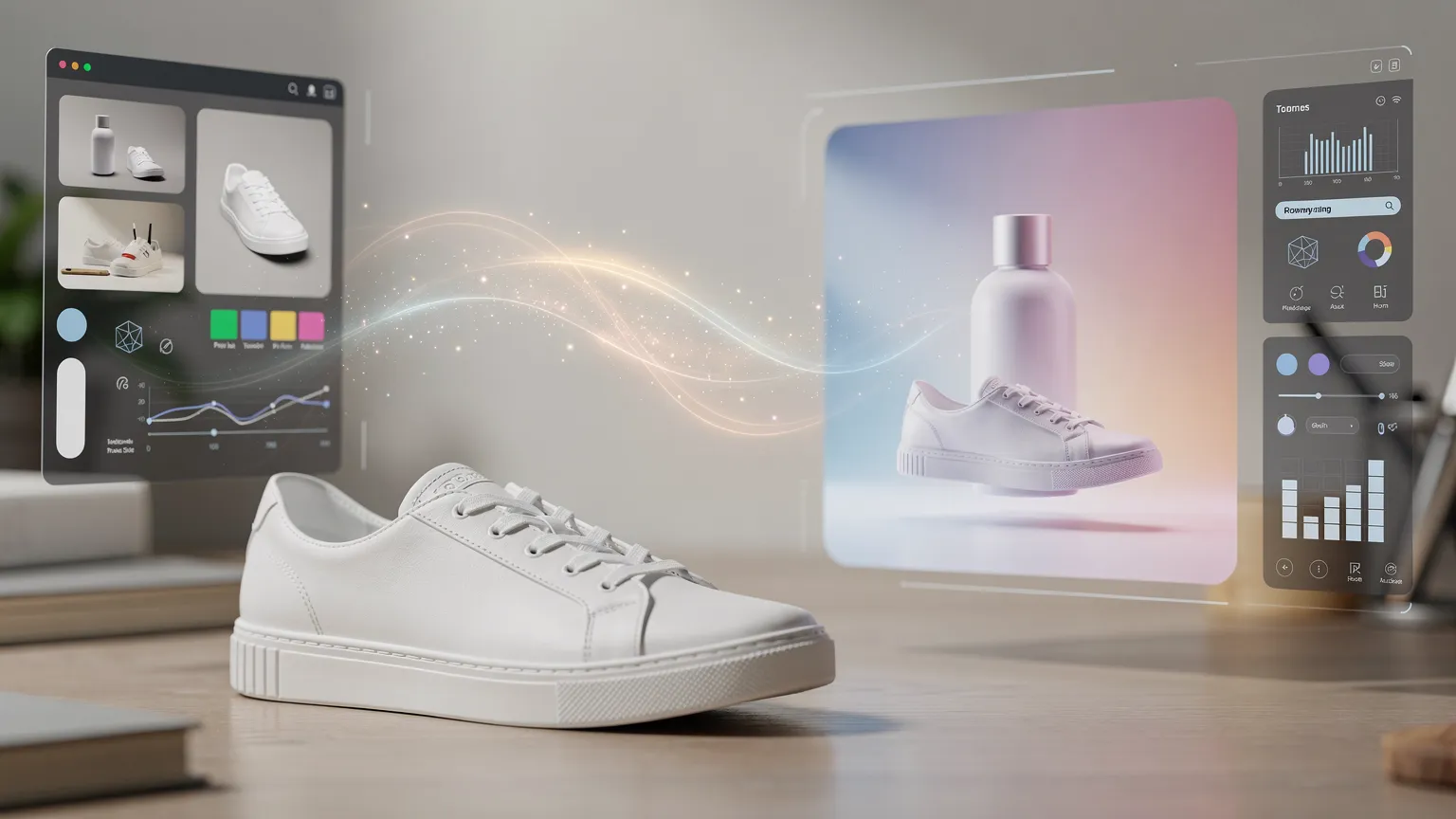
Transform ordinary product photos into professional ecommerce visuals using AI. Explore 10 creative examples, copy-ready prompts, practical Photoroom and Adobe Firefly techniques, and tips for creating convincing product images.
How to Create Product Images with AI for Ecommerce
What if you could turn an ordinary smartphone photo into a professional advertising image in minutes?
Imagine a perfume bottle displayed on black marble under cinematic lighting. A skincare product surrounded by dramatic water splashes. Or a handbag placed inside an elegant Parisian café.
These scenes would normally require a studio, props, lighting equipment, and careful photography.
Today, AI image editing tools can help you create similar results from a simple product photograph.
But there's a difference between generating an attractive image and creating one that's suitable for a real ecommerce business.
In this guide, you'll discover 10 practical AI product photography techniques, complete with copy-ready prompts, editing tips, and examples you can adapt to your own products.
You'll also learn how to preserve the appearance of the actual product, fix common AI mistakes, and prepare your images for ecommerce websites.
1. From ordinary product photos to professional advertising
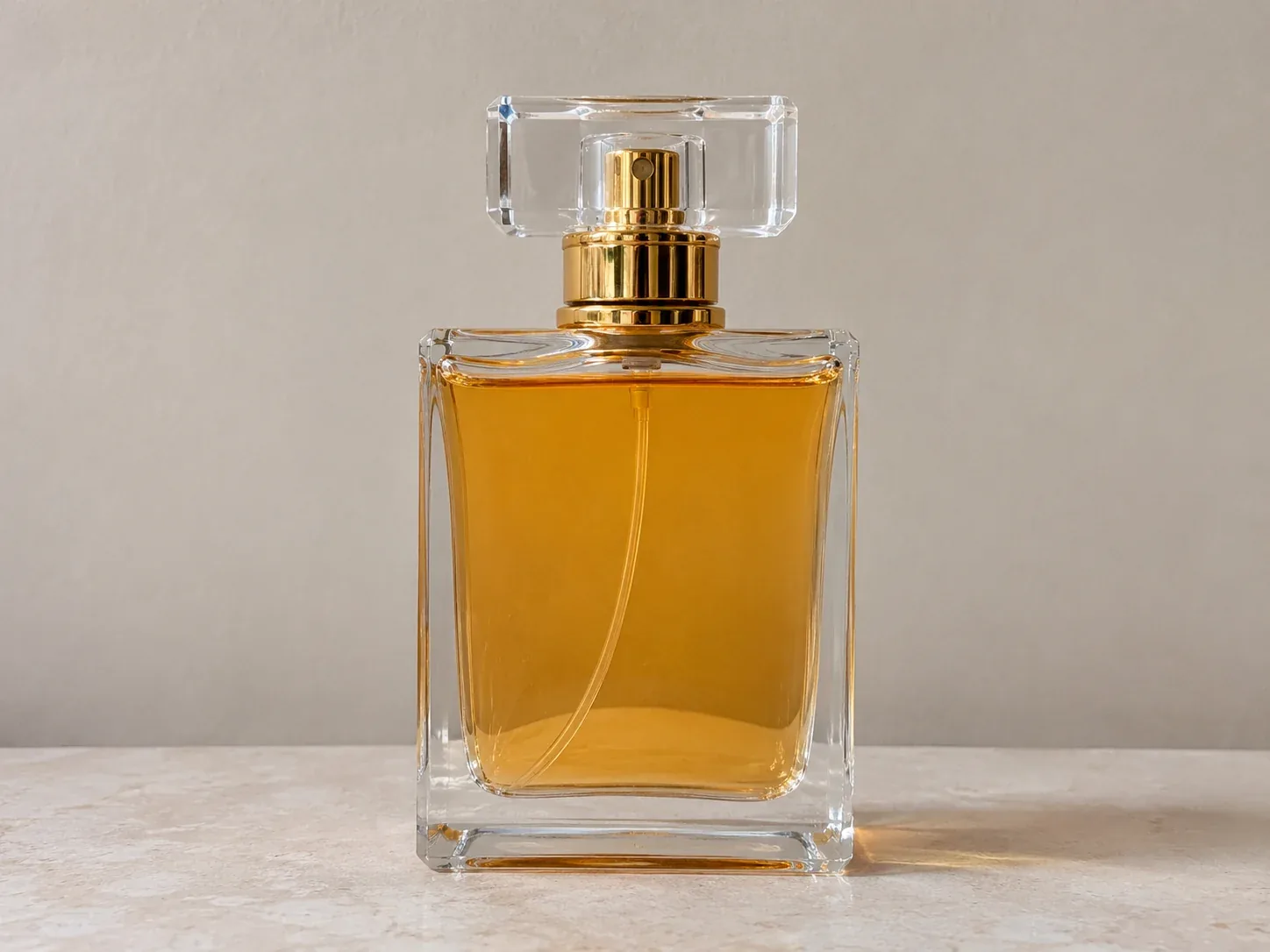
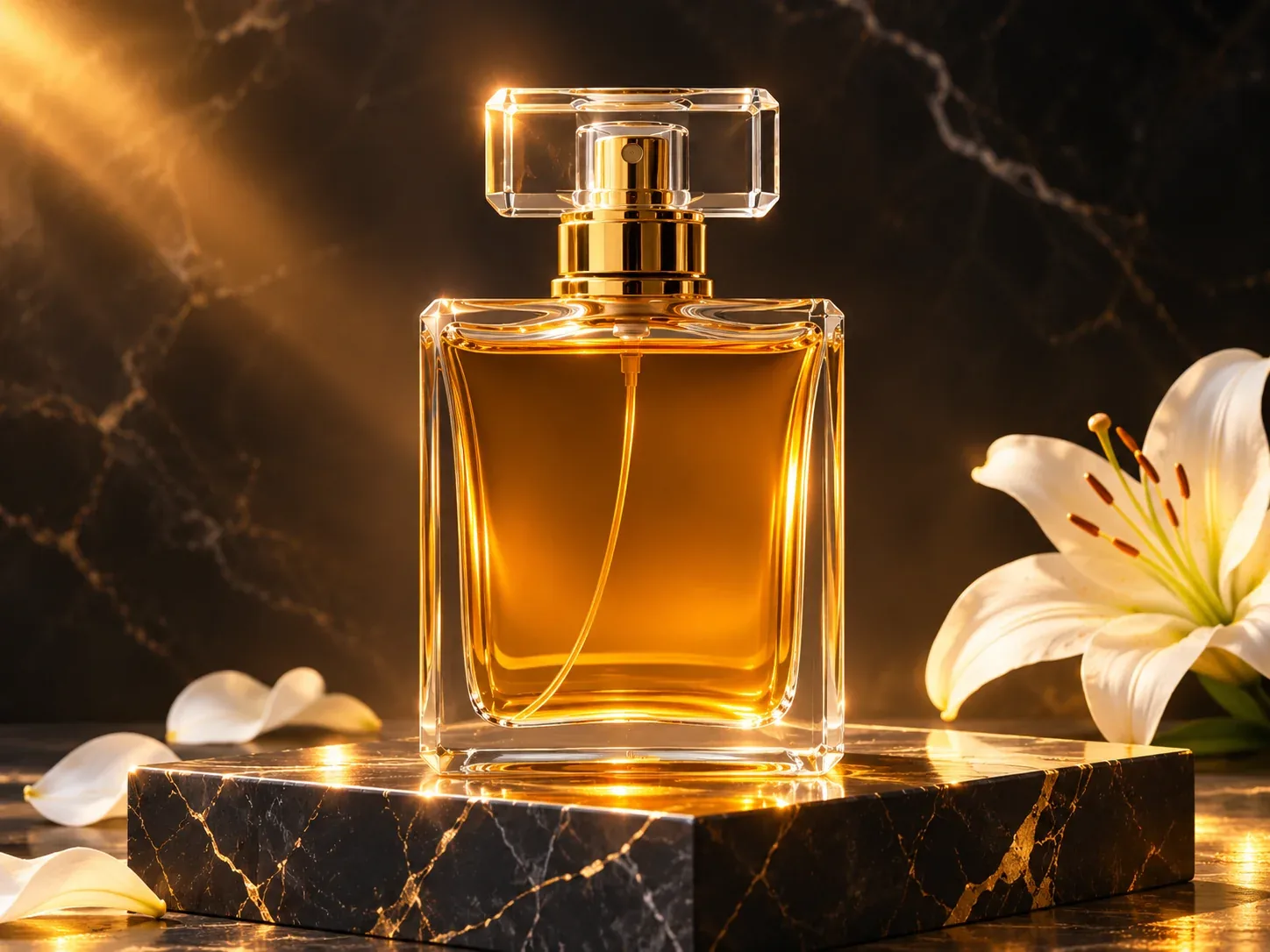
Three illustrative before/after examples: perfume, skincare bottle and handbag.
Visual concept: three fictional, unbranded products shown in simple studio scenes and premium advertising environments. These are paired AI-generated illustrations, not independently verified edits of supplied source photographs.
The transformations demonstrate three different creative directions:
- Luxury advertising: dramatic lighting, premium surfaces, and atmospheric effects.
- Dynamic commercial photography: water, movement, and visually striking compositions.
- Lifestyle photography: realistic environments that help customers imagine using the product. The key is to start with a real photograph whenever you're advertising a real product. You can generate its surroundings while keeping the original product layer intact.
Which tools should you use?
For beginners, Photoroom is a convenient choice for removing backgrounds, creating product scenes, and producing consistent catalog images.
For more elaborate compositions, Adobe Firefly offers selective editing through Generative Fill.
The examples below describe workflows you can reproduce with these tools. Some features may depend on your subscription or available credits.
2. Luxury perfume advertising: cinematic lighting and marble
This technique works particularly well for perfume, jewelry, watches, and premium accessories.
The goal is to make an ordinary product feel luxurious through the environment, without altering the product itself.
Use the uploaded product photo as the exact reference.


Create a luxury advertising scene with the product on a polished black marble pedestal. Deep charcoal background, warm golden rim lighting, elegant reflections, subtle atmospheric mist, dramatic cinematic contrast, high-end commercial photography.

Preserve the original product shape, color, label, cap and proportions. Keep the product sharp and fully visible.

Leave negative space for advertising copy. Vertical 4:5 composition. No generated text.
How to reproduce it
- Upload the original photograph into Photoroom.
- Remove the background, keeping the product isolated.
- Open the AI background generation tool.
- Paste the prompt and generate several variations.
- Choose the most convincing composition and adjust the product's position.
- Inspect the reflections and shadows before exporting. Creative variations: Try white travertine pedestal with soft morning light for a minimalist luxury look, or dark burgundy velvet with dramatic spotlighting for a more theatrical campaign.
3. Skincare advertising: dramatic water splashes
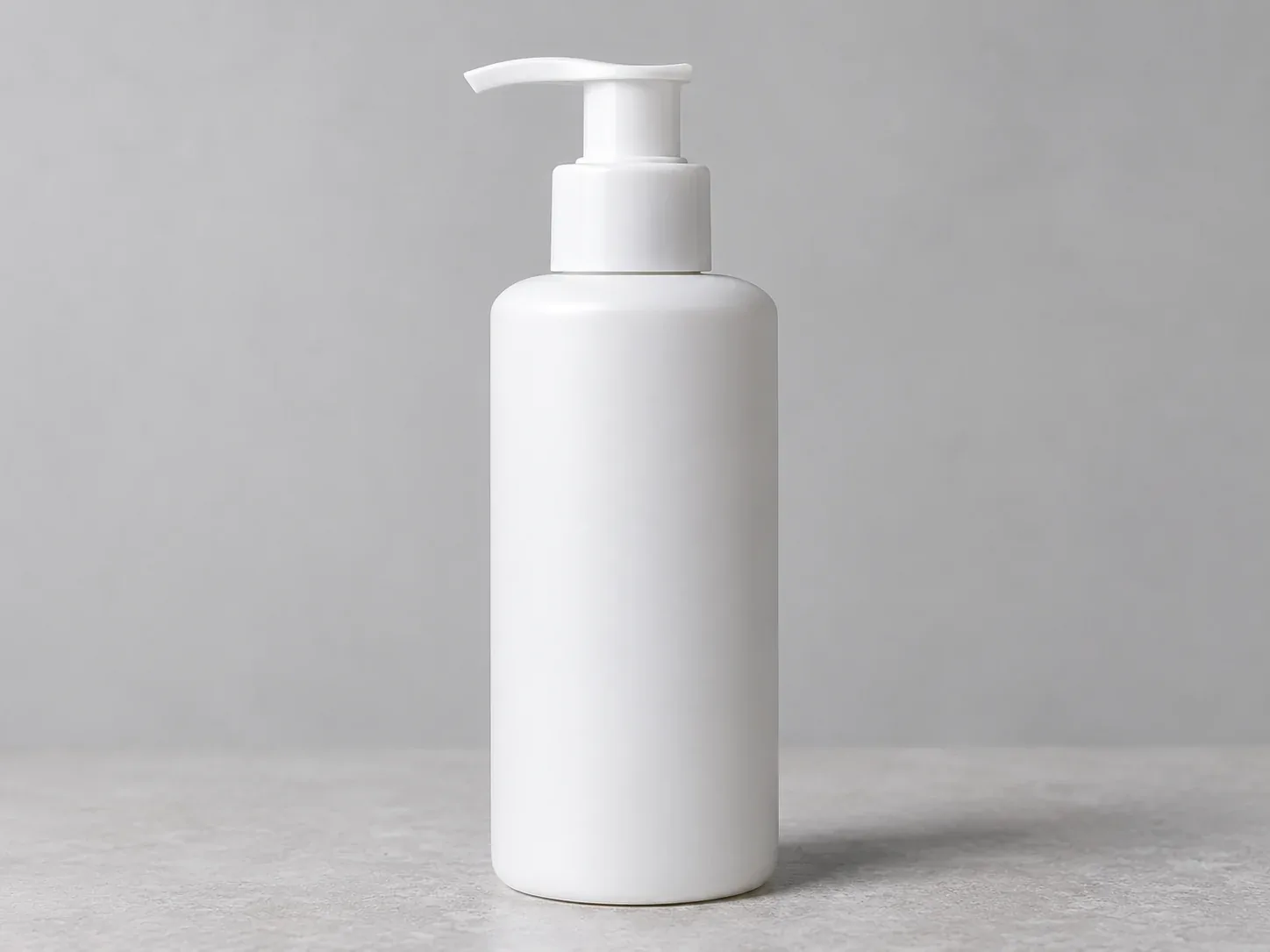
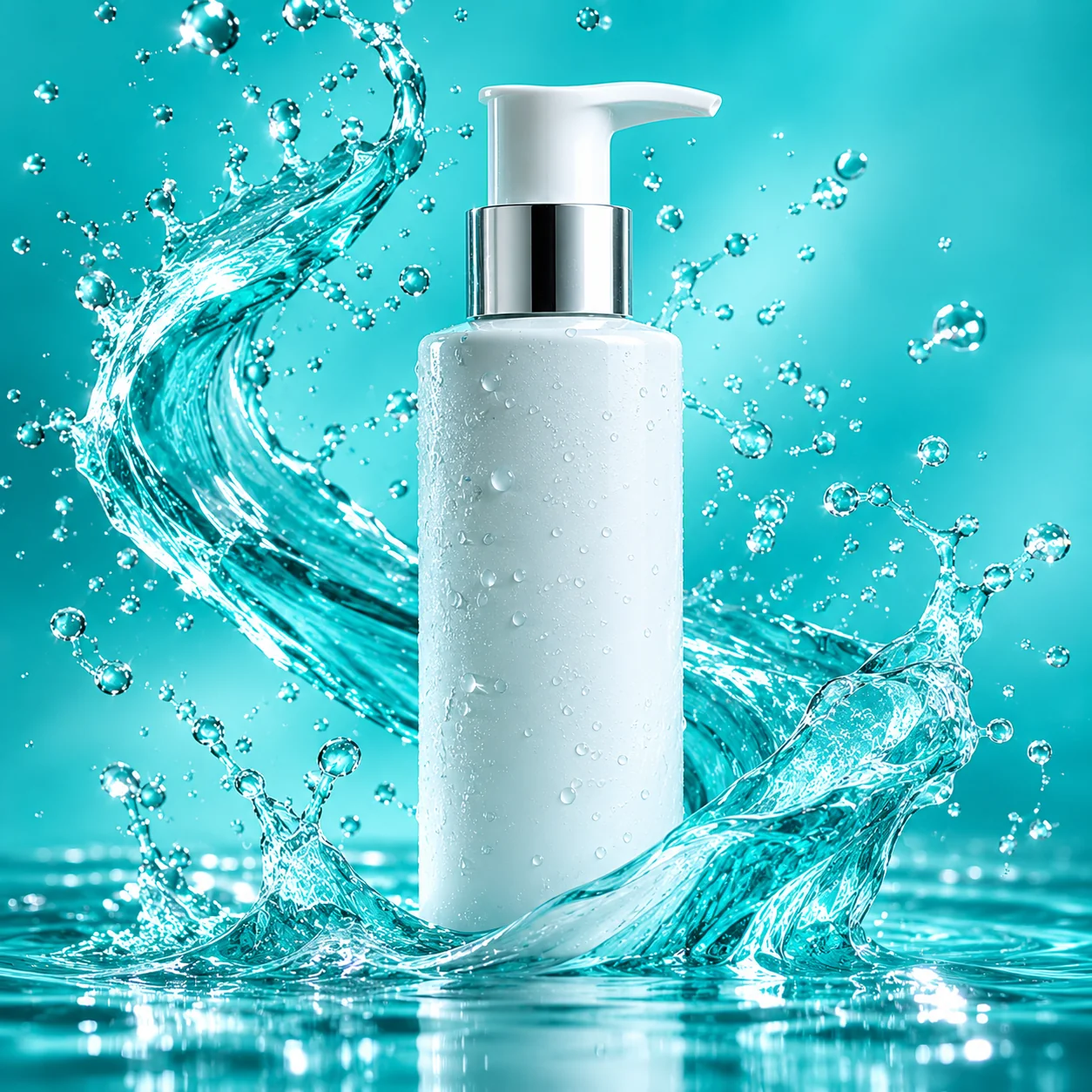
Water splashes are one of the most visually impressive effects you can create around cosmetics, drinks, and wellness products.
Instead of physically splashing water around the product, you can generate the effect digitally.
Use the uploaded skincare bottle as the unchanged product centerpiece.


Create a spectacular premium beauty advertising composition with crystal-clear water splashes frozen in motion, sparkling droplets, subtle reflections, fresh turquoise background, dramatic high-speed flash photography lighting and sharp commercial details.

Keep the splashes around and behind the bottle, without covering the label. Preserve the original product appearance exactly.

Square 1:1 composition. No text.
How to reproduce it with Adobe Firefly
- Upload the product photograph to an image editing workflow that supports Generative Fill.
- Isolate the product or protect it from the editing selection.
- Select the surrounding background area.
- Describe the splashes using the prompt.
- Generate variations and select the most natural result.
- Refine areas where water overlaps the product or creates unrealistic edges. The important technique is generating the visual effect around the product, not regenerating the product itself.
For a more botanical look, replace the turquoise environment with green leaves, dew droplets, and diffused daylight.
4. Lifestyle photography: place a handbag in a Parisian café
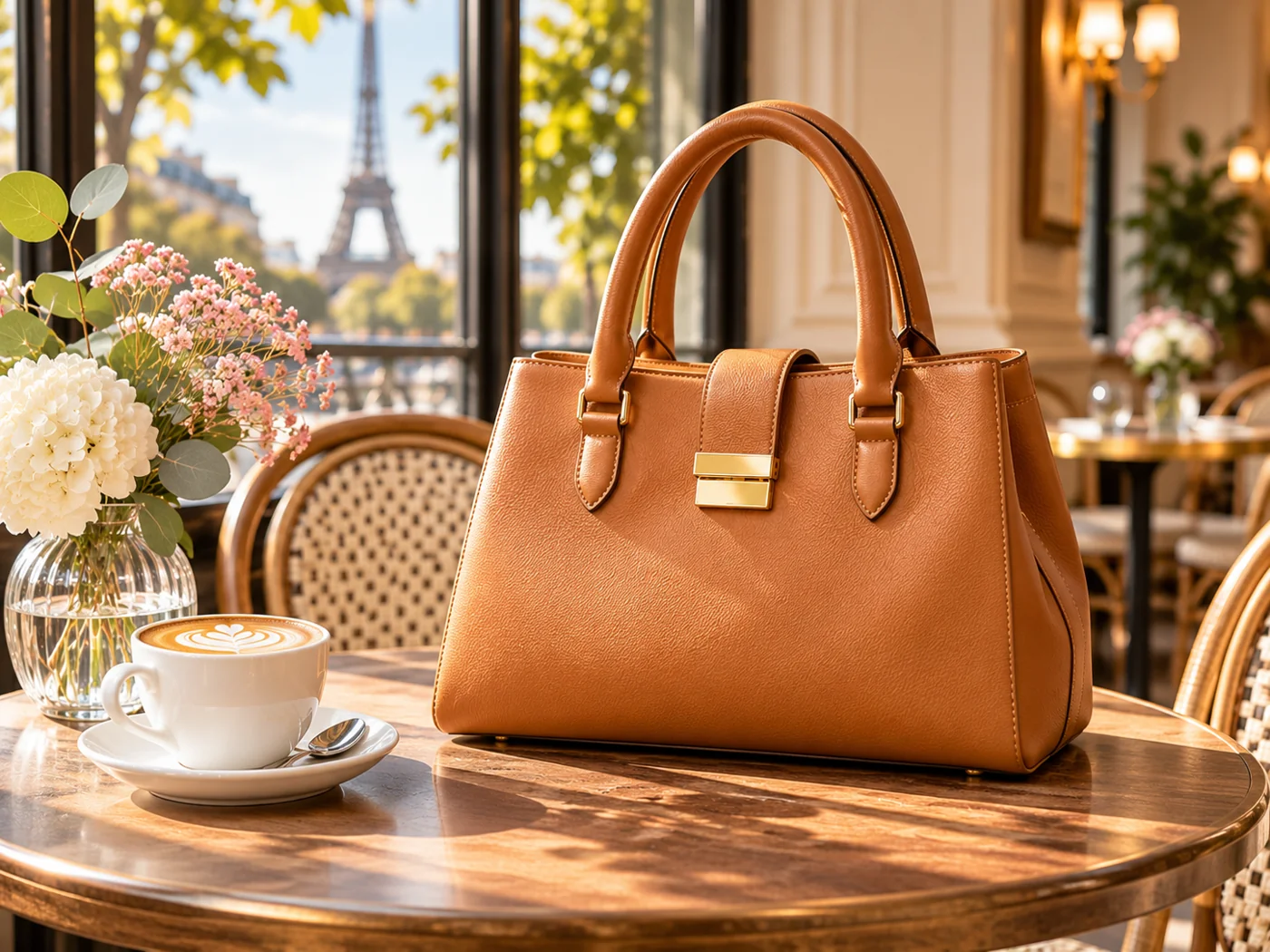
Lifestyle photography is about showing a product in a believable environment.
A handbag photographed against a neutral background can be presented in a café, a boutique, or a stylish apartment.
Place the uploaded handbag naturally on a beautiful wooden table in an elegant Parisian café.


Warm morning sunlight through large windows, subtle background blur, neutral beige and cream interior, tasteful lifestyle editorial photography, realistic contact shadows, natural perspective, premium fashion magazine aesthetic.

The handbag must retain its exact shape, color, straps, stitching and hardware.

No people touching the product. Horizontal 4:3 composition.
How to make the result believable
Pay attention to the product's scale and perspective. A handbag should rest naturally on the table, with a shadow matching the direction of the window light.
Avoid asking AI to invent additional product angles or hidden details.
You can adapt this technique to coffee machines, lamps, home accessories, watches, and furniture.
5. Outdoor advertising: transform sneakers into an adventure campaign
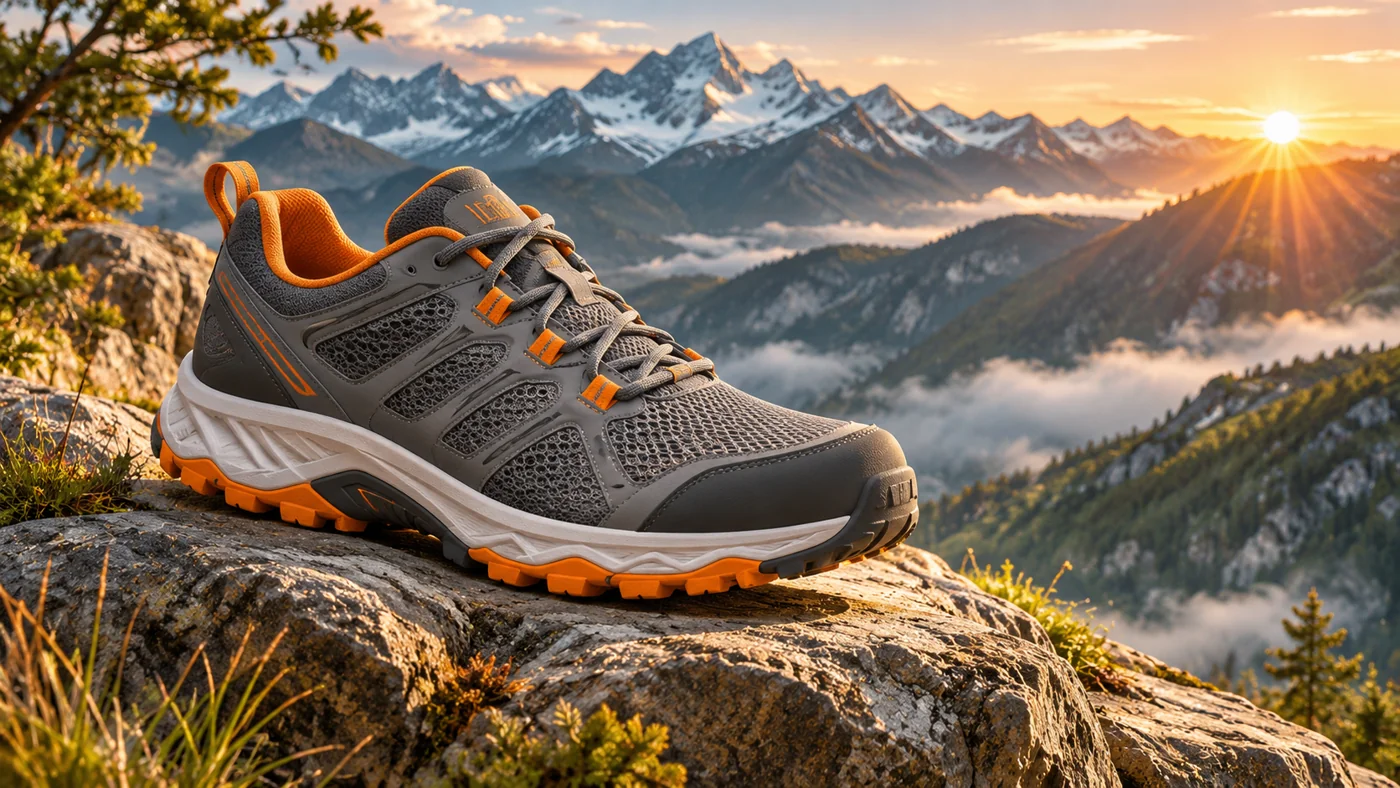
Outdoor photography can be difficult to organize, especially for small ecommerce businesses.
AI backgrounds allow you to create mountain, desert, beach, and forest scenes without traveling to those locations.
Use the uploaded shoe as the exact product reference.


Place the shoe on a rugged mountain rock overlooking a dramatic alpine valley at sunrise. Atmospheric mist, distant peaks, warm golden sunlight, natural rock textures, dynamic outdoor sports advertising composition, realistic contact shadow.

Preserve the shoe's original shape, sole, stitching, colors and materials.

Wide 16:9 composition. No text or additional products.
Variation: Replace the mountain setting with a sunlit desert canyon with warm orange sand or a wet forest trail with atmospheric morning fog.
For actual footwear listings, don't use generated scenes to imply performance characteristics the shoes haven't been shown to possess.
6. Futuristic technology advertising: headphones with neon lighting
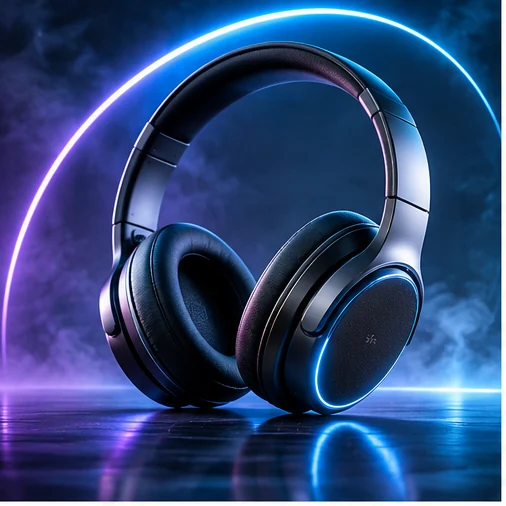
Technology products often look impressive under controlled colored lighting.
Neon blue, purple, and cyan highlights can create a futuristic atmosphere without needing elaborate physical sets.
Create a futuristic premium technology advertising scene featuring the uploaded headphones.


Dark minimalist studio, electric blue and violet rim lighting, subtle illuminated geometric elements in the background, polished reflective surface, dramatic contrast, precise commercial product photography.

Preserve the original headphones, including the headband, earcups, controls and logos. Do not invent additional product features.

Horizontal 16:9 composition.

For a more minimalist result, reduce the number of background elements and use a single colored light source.

This approach also works for keyboards, speakers, gaming accessories, and small electronics.
7. Seasonal campaigns: one product, multiple visual identities
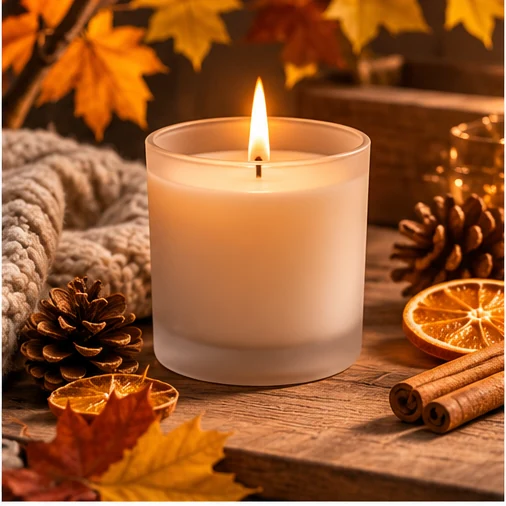
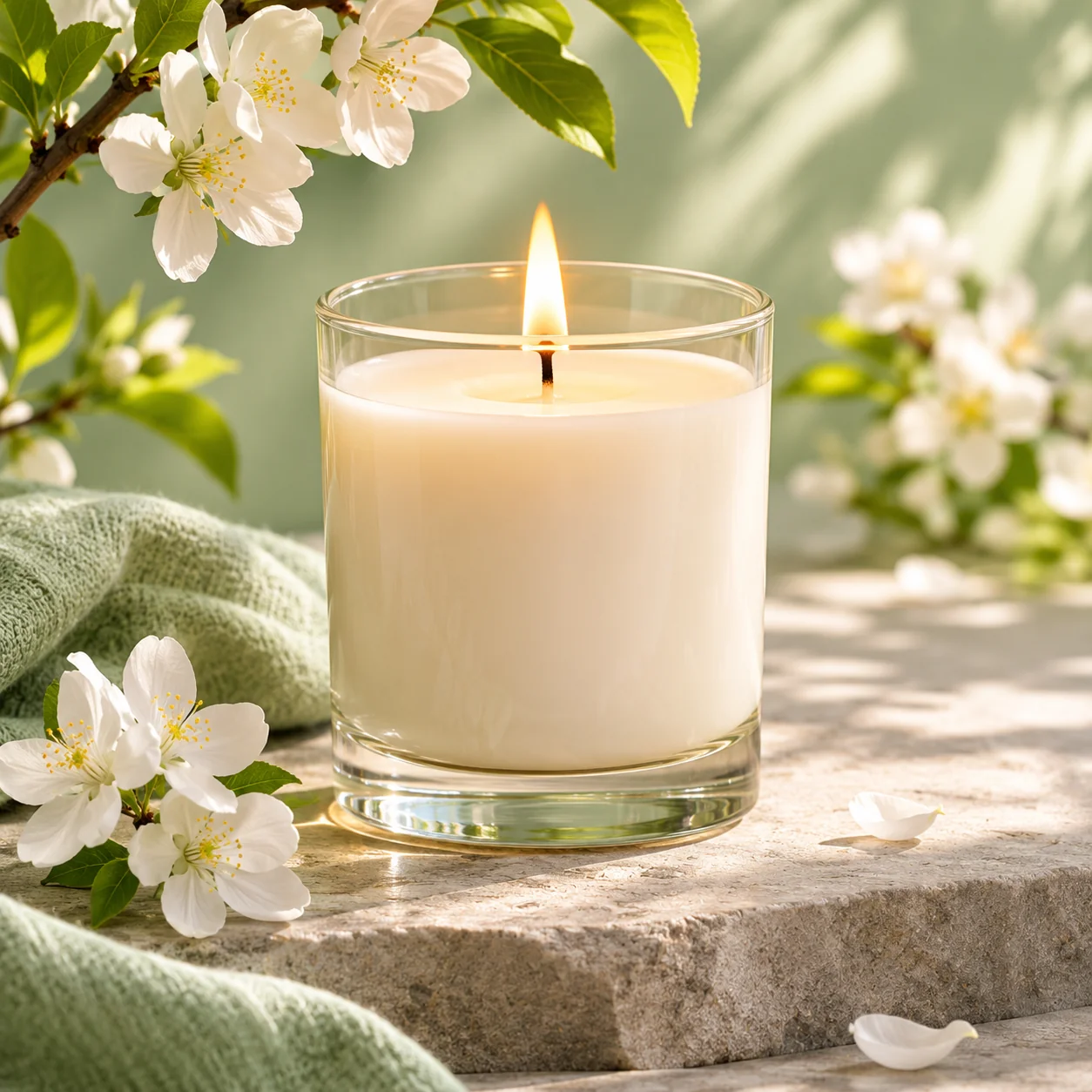
Seasonal variations: warm autumn and fresh spring.
You don't need to organize a new photoshoot for every seasonal promotion.
By changing the environment, the same product can appear in different campaign styles.
Create a cozy winter holiday advertising scene around the uploaded candle.


Natural pine branches, subtle warm fairy lights, elegant neutral decorations, soft golden bokeh, sophisticated festive atmosphere, premium lifestyle photography.

Keep the original candle unchanged and clearly visible. Do not generate text, branding or extra products.

Vertical 4:5 composition.
For spring, replace the seasonal description with delicate flowers, pastel colors, fresh botanical atmosphere and bright natural daylight.
For summer, try sunlit Mediterranean stone, warm shadows, subtle citrus elements and a fresh minimal aesthetic.
8. Floating product photography: create impossible compositions
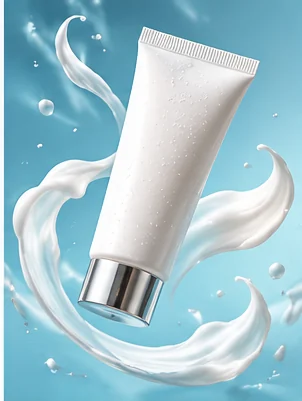
Some of the most memorable product advertisements use compositions that would be difficult to photograph physically.
Floating products, suspended objects, and surreal backgrounds can produce striking campaign visuals.
Create a surreal yet photorealistic beauty advertising composition using the uploaded product.


The product appears suspended in mid-air, surrounded by elegant translucent glass spheres and soft floating decorative elements. Pastel lavender background, subtle gradient lighting, sophisticated shadows, clean commercial studio aesthetic.

Preserve the exact product appearance and label. Keep the composition premium, weightless and visually balanced.

Square 1:1 format.

Use this style primarily for creative advertising rather than the main factual product photograph.

If the AI changes the packaging or label, restore the original product layer.
9. Consistent ecommerce catalog photography
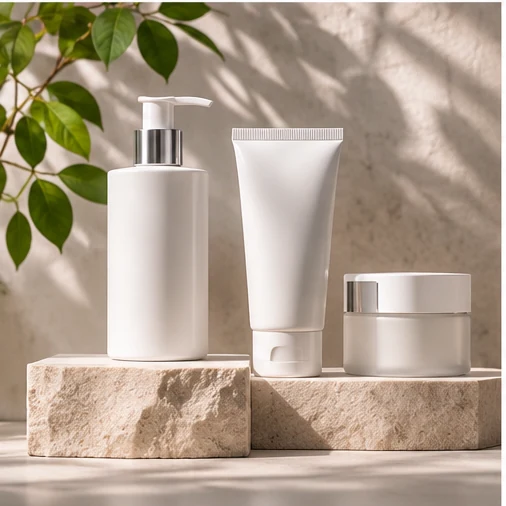
An ecommerce store looks more professional when its product images share a consistent style.
The background, lighting direction, product scale, and margins should feel unified.
Create a clean professional ecommerce studio background for the uploaded product.


Warm off-white seamless backdrop, soft diffused lighting from the upper left, subtle realistic contact shadow, neutral commercial product photography, centered composition, generous consistent margins, no props or decorative objects.

Preserve the product exactly as photographed. Use the same background tone, lighting direction and visual style across the entire catalog.

Square 1:1 composition.
How to keep multiple products consistent
Create one approved reference image, then reuse the same background, lighting, and framing instructions.
Photoroom's reference-image and batch tools can help with this process, depending on the available features.
For strict consistency, a fixed background template is often more reliable than generating a completely new environment for every product.
10. Ecommerce homepage banners: leave room for your message

A common mistake when generating website banners is placing the product in the middle, leaving no room for a headline or call-to-action button.
Instead, describe the desired layout directly in the prompt.
Create a premium ecommerce homepage hero image using the uploaded coffee machine.


Place the product on the right third of the composition, on a beautiful minimalist kitchen counter. Warm natural morning light, elegant modern interior, subtle depth of field, realistic shadows, premium lifestyle photography.

Leave the left half visually simple and uncluttered for a website headline and call-to-action button.

No generated text. Preserve the exact product design. Wide 16:9 composition.
Add the headline and button using HTML and CSS rather than embedding them in the image.
This keeps the text accessible, responsive, and easy to translate.
11. Social media advertising: create bold campaign visuals
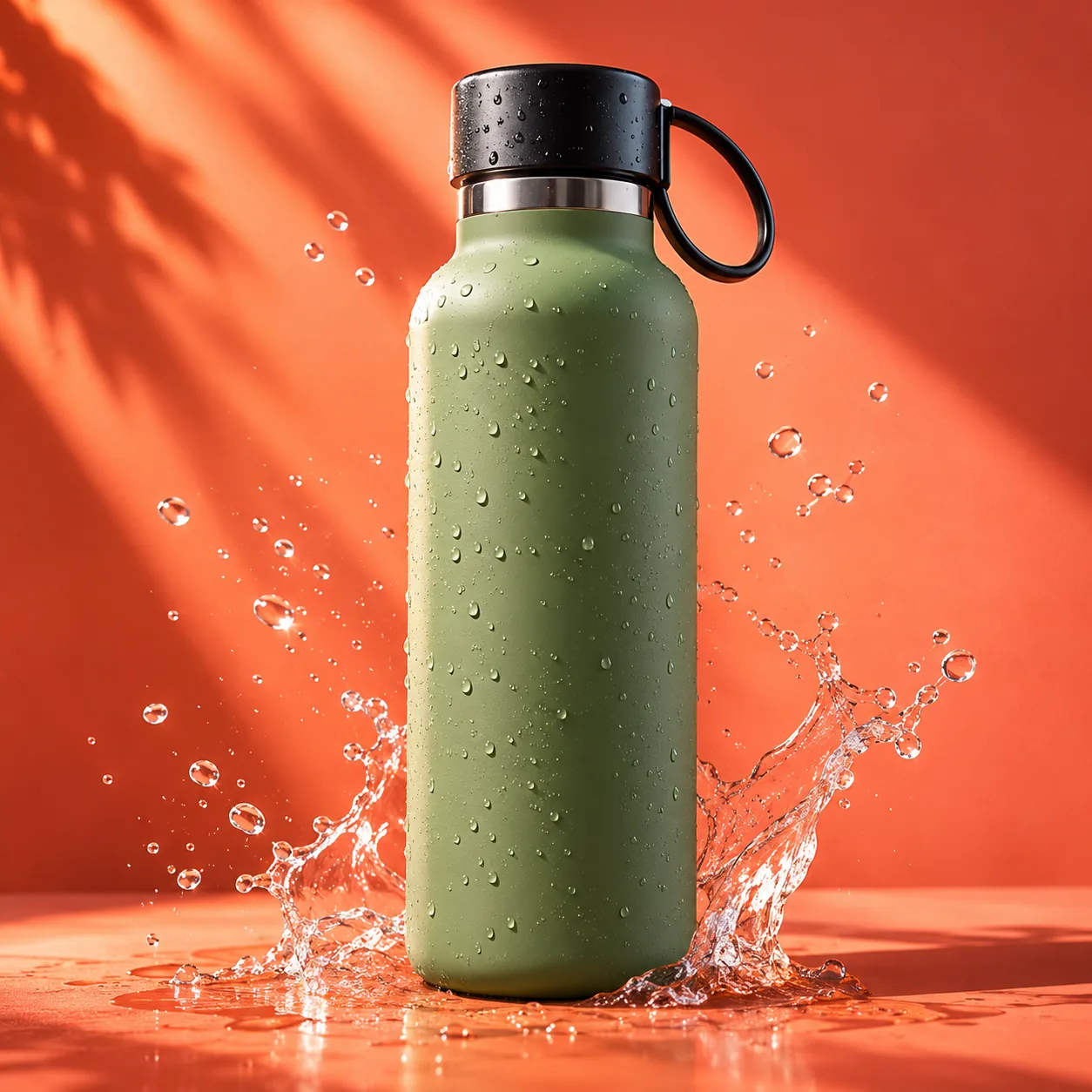
Social media campaigns often need more energetic compositions than standard ecommerce product pages.
Bold colors, geometric elements, and strong contrast can help the product stand out.
Create a bold modern social media advertising visual featuring the uploaded reusable bottle.


Vibrant coral and orange gradient background, geometric studio podium, energetic diagonal lighting, clean graphic composition, subtle realistic shadows, contemporary commercial photography.

Keep the bottle unchanged and prominently visible. Leave space for a promotional message to be added later.

No generated text. Vertical 4:5 format.
Create separate compositions for different placements rather than relying on automatic cropping.
A square product card, a portrait social post, and a wide homepage banner have different layout requirements.
12. Build your own AI product photography prompt
You can reuse the same basic structure for almost any physical product.
A good prompt describes the environment, lighting, photographic style, composition, and what must remain unchanged.
The six essential elements of an effective prompt
| Element | What to describe |
|---|---|
| Product | What must remain unchanged |
| Environment | Where the product appears |
| Lighting | Direction, color and softness |
| Style | Luxury, lifestyle or editorial |
| Composition | Position, crop and empty space |
| Constraints | What the AI must not invent |
Interactive AI product prompt builder
Choose your preferred environment, lighting, photography style, and image format. The tool automatically builds a complete English prompt you can copy into your image editor.
Build your own AI product photography prompt
Choose a scene, lighting, visual style and format. Copy the result into your AI image editor.
Use an actual product photo as the reference.
This builder produces a text prompt. You still need to upload your own product photograph to the chosen image editing tool.
13. Why your AI images sometimes look wrong
Even a detailed prompt can produce disappointing results. Here are the most common problems and how to correct them. Problem What to do Product shape changes Protect the original product layer; edit the background only Labels or logos become distorted Restore the original label pixels rather than regenerating text Product appears to float Add a contact shadow and a realistic supporting surface Image looks artificial Reduce excessive glow, reflections and decorative elements Product appears too large Adjust its scale relative to surrounding objects Catalog images look inconsistent Reuse the same reference background, framing and lighting
A useful troubleshooting technique is to change only one element of the prompt at a time.
If the scene looks too artificial, keep the environment but replace dramatic cinematic lighting with soft natural daylight.
If the composition is too cluttered, remove unnecessary props instead of rewriting the entire prompt.
And if the product itself changes, stop generating over the product and switch to a background-only workflow.
14. Optimize AI product images for your ecommerce website
Once you've approved the visual result, prepare it for the web.
A high-resolution image may look excellent but unnecessarily slow down your storefront if you upload it without optimization. Usage Suggested dimensions Format Product card 600 × 600 px WebP Product detail image 1200 × 1200 px WebP Social media portrait 1080 × 1350 px WebP Homepage hero 1600 × 900 px WebP
These are suggested starting dimensions, not universal requirements.
Keep a high-quality master and export separate files for each placement.
Use descriptive filenames such as perfume-luxury-studio.webp or handbag-paris-cafe.webp.
For a website image, provide meaningful alternative text and explicit dimensions: <img src="/images/perfume-luxury-studio.webp" alt="Amber perfume bottle on a black marble pedestal" width="1200" height="1200" loading="lazy">
For the main above-the-fold image, evaluate whether eager loading is more appropriate.
Check marketplace requirements
If you're submitting AI-generated images to Google Merchant Center, review Google's generative AI image metadata requirements.
Google specifies provenance information for generative AI imagery. Avoid removing required metadata during export, optimization or CDN processing.
Also make sure your product images accurately represent the items you're selling. An impressive background is useful; an invented feature or accessory is not.
15. Which tool should you choose?
Your goal Recommended starting point Remove backgrounds quickly Photoroom Create lifestyle product scenes Photoroom Produce consistent catalog backgrounds Photoroom Edit selected regions precisely Adobe Firefly Create elaborate creative compositions Adobe Firefly Prepare complex layered advertising images Adobe editing workflow
For most ecommerce beginners, start with Photoroom to learn background generation and catalog consistency.
Then explore Adobe Firefly when you need more control over selected areas and elaborate compositions.
Both tools may require subscriptions or generation credits for some features. Check their current plans and commercial-use terms.
Conclusion: one product photo, dozens of creative possibilities
AI product photography goes far beyond removing backgrounds.
With the right techniques, you can turn an ordinary photograph into a luxury advertisement, an outdoor campaign, a seasonal promotion, or a professional homepage banner.
Start with a real product photograph, choose a visual direction, and use a detailed prompt that describes the lighting, environment, composition, and constraints.
Then refine the result, compare it against the original product, and export it for the intended platform.
The best AI product image combines creativity with accuracy: it makes the product look exceptional without changing what customers will actually receive.