
Jak tworzyć obrazy produktów z AI dla e-commerce: 10 oszałamiających przykładów i gotowych do użycia promptów
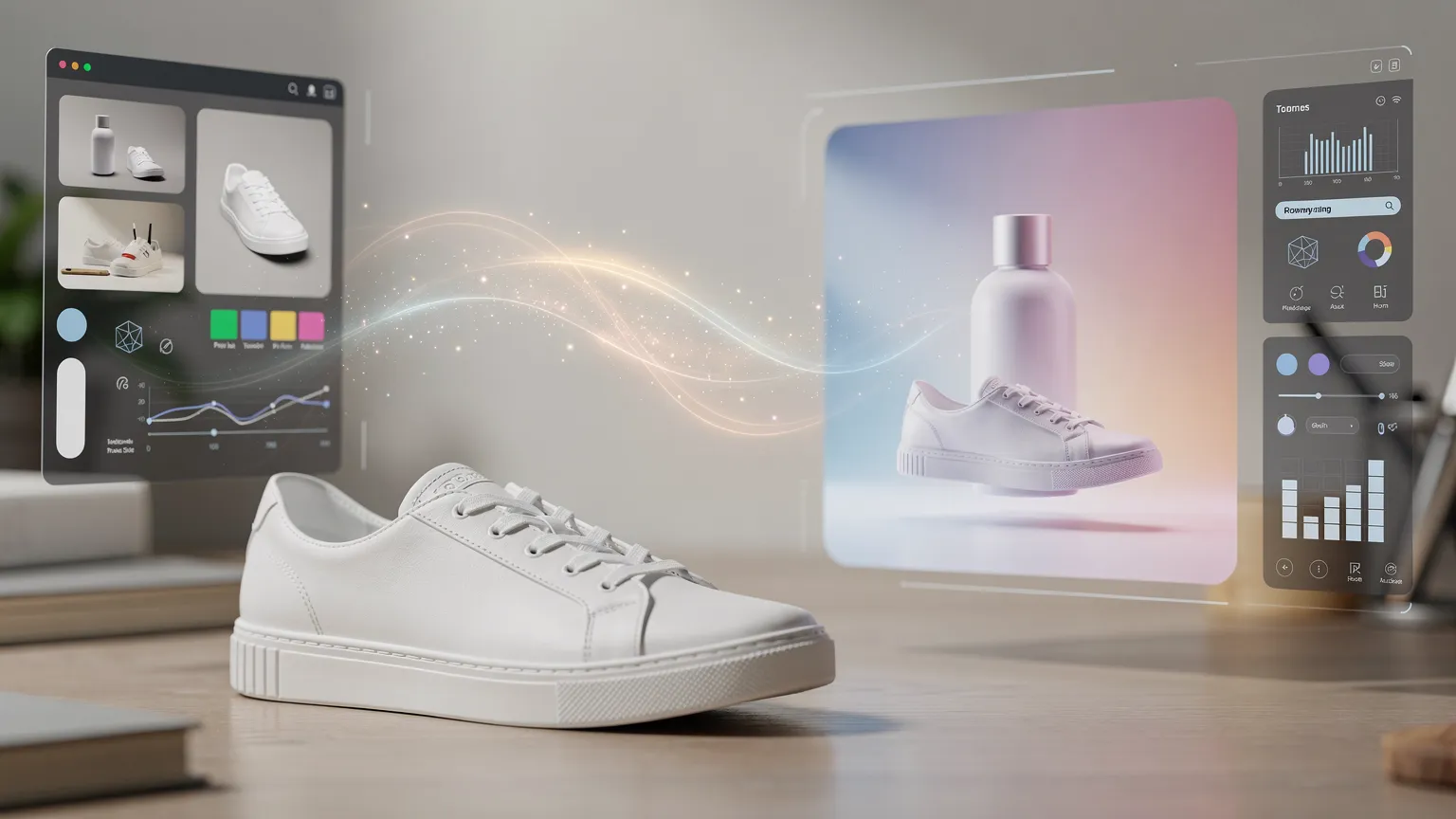
Przekształć zwykłe zdjęcia produktów w profesjonalne wizualizacje e-commerce przy użyciu AI. Odkryj 10 kreatywnych przykładów, gotowe do kopiowania prompty, praktyczne techniki Photoroom i Adobe Firefly oraz wskazówki dotyczące tworzenia przekonujących obrazów produktów.
Jak tworzyć produkty ze sztuczną inteligencją dla e-commerce
Czy mogłbyś zamienić ordinary smartphone photo w profesjonalny obraz reklamowy w ciągu kilku minut?
Wyobraź sobie butelkę perfum displayed on black marble under cinematic lighting. Kosmetyk otoczony dramatycznymi strumieniami wody. Lub torebkę umieszczoną w eleganckiej paryskiej kawiarni.
Te sceny normalnie wymagałyby studia, rekwizytów, oświetlenia i starannej fotografii.
Dzisiaj narzędzia AI do edycji mogą pomóc tworzyć podobne wyniki z prostego zdjęcia produktu.
Ale istnieje różnica między generowaniem atrakcyjnego obrazu a stworzeniem takiego, który nadaje się dla prawdziwego biznesu e-commerce.
W tym przewodniku odkryjesz 10 praktycznych technik fotografii produktu z użyciem AI, wraz z promptami gotowymi do użycia, wskazówkami edycyjnymi i przykładami, które możesz dostosować do własnych produktów.
Nauczysz się również zachowywać wygląd rzeczywistego produktu, naprawiać common AI mistakes oraz przygotowywać obrazy do witryn e-commerce.
1. Z ordinary photos do profesjonalnej reklamy
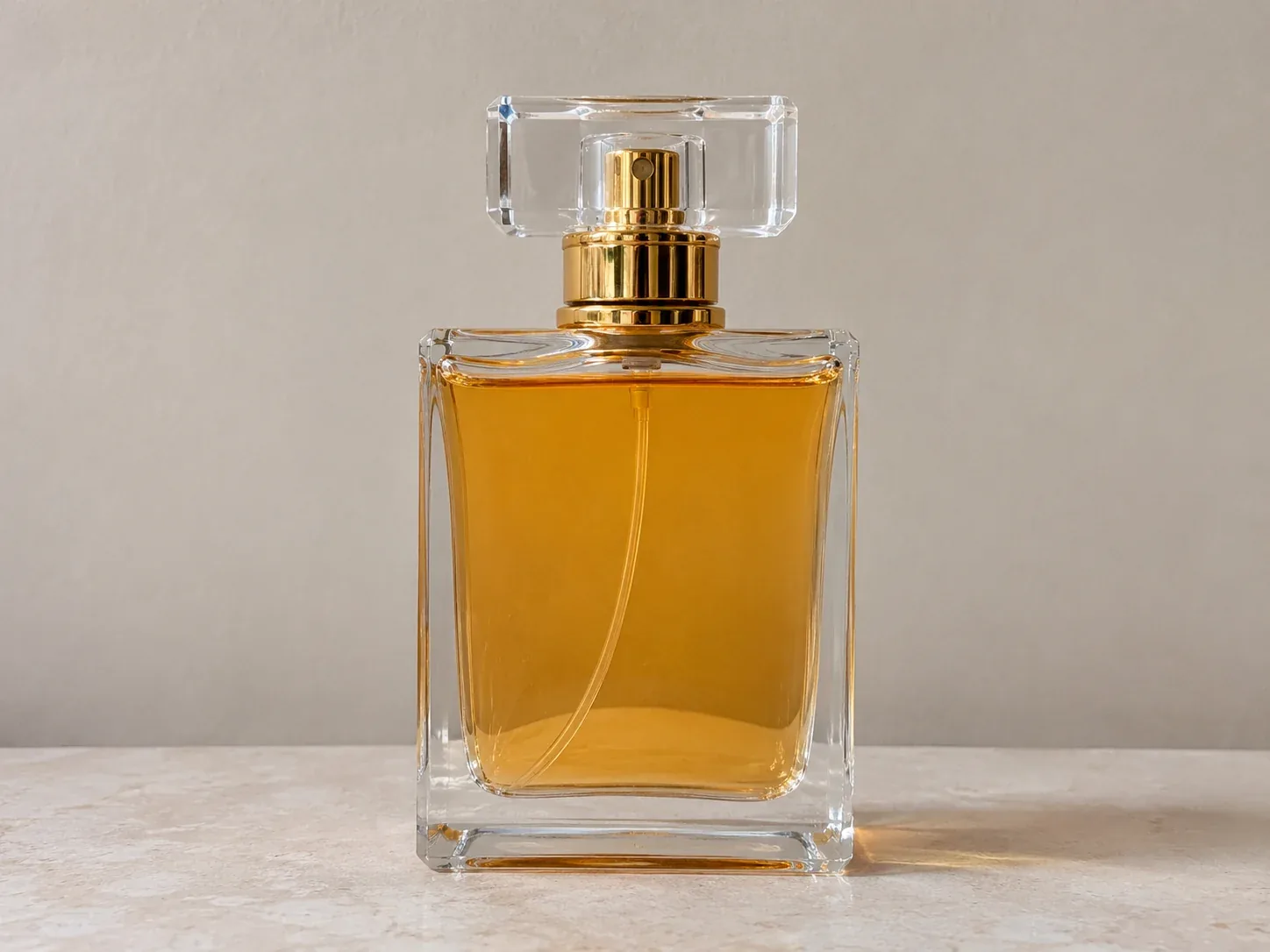
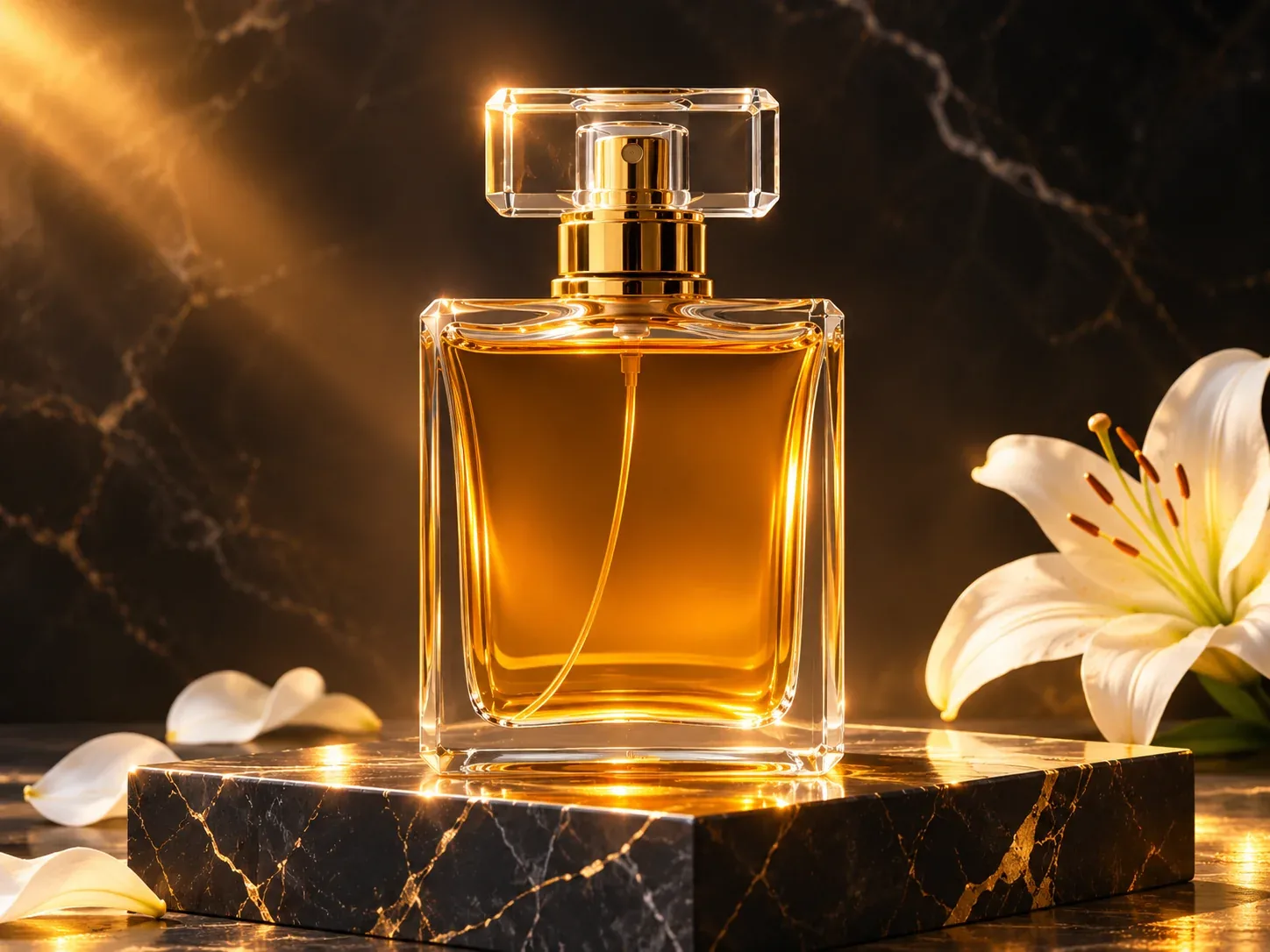
Trzy ilustracyjne przykłady before/after: perfum, kosmetyku i torebki.
Wizualny koncept: trzy fikcyjne, nieoznaczone produkty przedstawione w prostych scenach studyjnych i premium reklamowych otoczeniach. To sparowane ilustracje AI, niezależnie weryfikowane edycje dostarczonych danych wejściowych.
Transformacje pokazują trzy różne kierunki kreatywne:
- Luksusowa reklama: dramatyczne oświetlenie, premium powierzchnie i atmosferyczne efekty.
- Dynamiczna komercyfotografia: woda, ruch i wizualnie przyciągające kompozycje.
- Fotografia lifestyle: realistyczne otoczenia, które pomagają klientom wyobrazić sobie używanie produktu. Kluczem jest started z prawdziwym zdjęciem, gdy tylko reklamujesz prawdziwy produkt. Możesz generować jego otoczenie, jednocześnie zachowując oryginalną warstwę produktu.
Które narzędzia powinienem użyć?
Dla początkujących, Photoroom jest wygodnym wyborem do usuwania tła, tworzenia scen produktowych i produkcji spójnych obrazów katalogowych.
Do bardziej rozbudowanych kompozycji, Adobe Firefly oferuje selektywną edycję poprzez Generative Fill.
Poniższe opisy workflow można odtworzyć z tymi narzędziami. Niektóre funkcje mogą zależeć od subskrypcji lub dostępnych kredytów.
2. Luksusowa reklama perfum: kinowe oświetlenie i marmur
Ta technika działa particularly well for perfume, jewelry, watches, and premium accessories.
Celem jest zrobienie ordinary product feel luxurious poprzez otoczenie, bez zmiany samego produktu.
Use the uploaded product photo as the exact reference.


Create a luxury advertising scene with the product on a polished black marble pedestal. Deep charcoal background, warm golden rim lighting, elegant reflections, subtle atmospheric mist, dramatic cinematic contrast, high-end commercial photography.

Preserve the original product shape, color, label, cap and proportions. Keep the product sharp and fully visible.

Leave negative space for advertising copy. Vertical 4:5 composition. No generated text.
How to reproduce it
- Upload the original photograph into Photoroom.
- Remove the background, keeping the product isolated.
- Open the AI background generation tool.
- Paste the prompt and generate several variations.
- Choose the most convincing composition and adjust the product's position.
- Inspect the reflections and shadows before exporting. Creative variations: Try white travertine pedestal with soft morning light for a minimalist luxury look, or dark burgundy velvet with dramatic spotlighting for a more theatrical campaign.
3. Reklama kosmetyków: dramatyczne strumienie wody
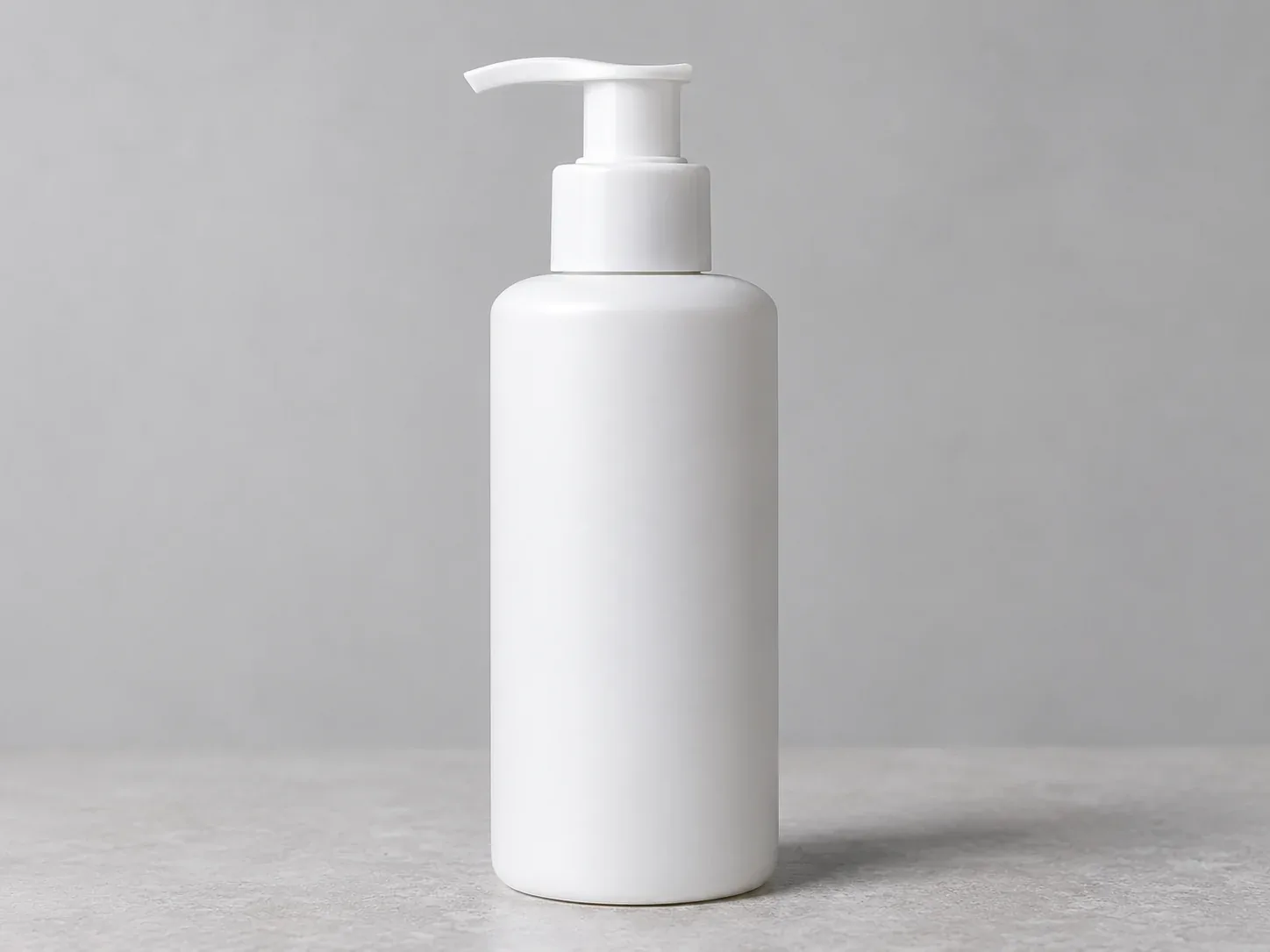
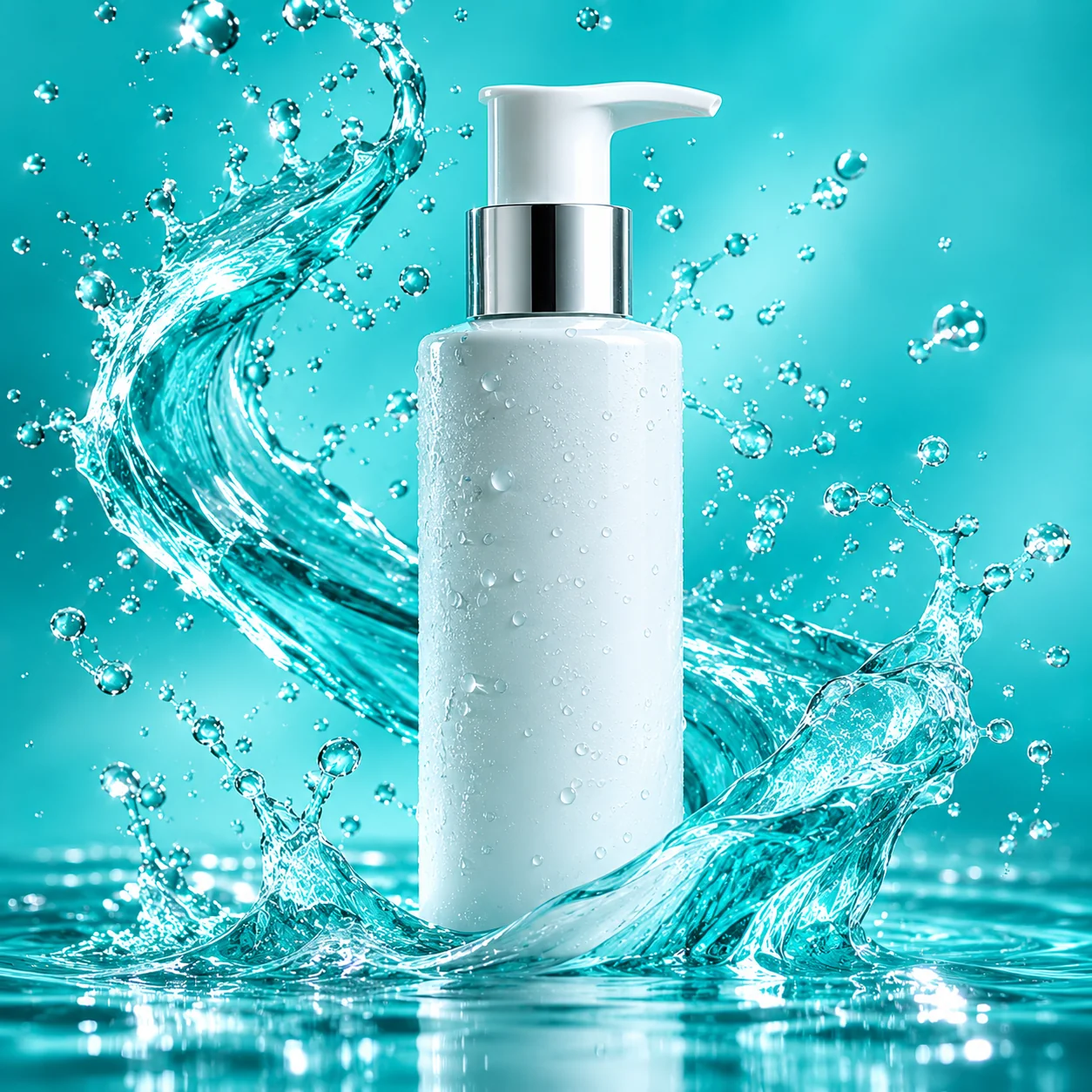
Strumienie wody are one of the most visually impressive effects you can create around cosmetics, drinks, and wellness products.
Zamiast fizycznie chlapać wokół produktu, możesz wygenerować ten efekt cyfrowo.
Use the uploaded skincare bottle as the unchanged product centerpiece.


Create a spectacular premium beauty advertising composition with crystal-clear water splashes frozen in motion, sparkling droplets, subtle reflections, fresh turquoise background, dramatic high-speed flash photography lighting and sharp commercial details.

Keep the splashes around and behind the bottle, without covering the label. Preserve the original product appearance exactly.

Square 1:1 composition. No text.
How to reproduce it with Adobe Firefly
- Upload the product photograph to an image editing workflow that supports Generative Fill.
- Isolate the product or protect it from the editing selection.
- Select the surrounding background area.
- Describe the splashes using the prompt.
- Generate variations and select the most natural result.
- Refine areas where water overlaps the product or creates unrealistic edges. The important technique is generating the visual effect around the product, not regenerating the product itself.
For a more botanical look, replace the turquoise environment with green leaves, dew droplets, and diffused daylight.
4. Fotografia lifestyle: umieszczenie torebki w paryskiej kawiarni
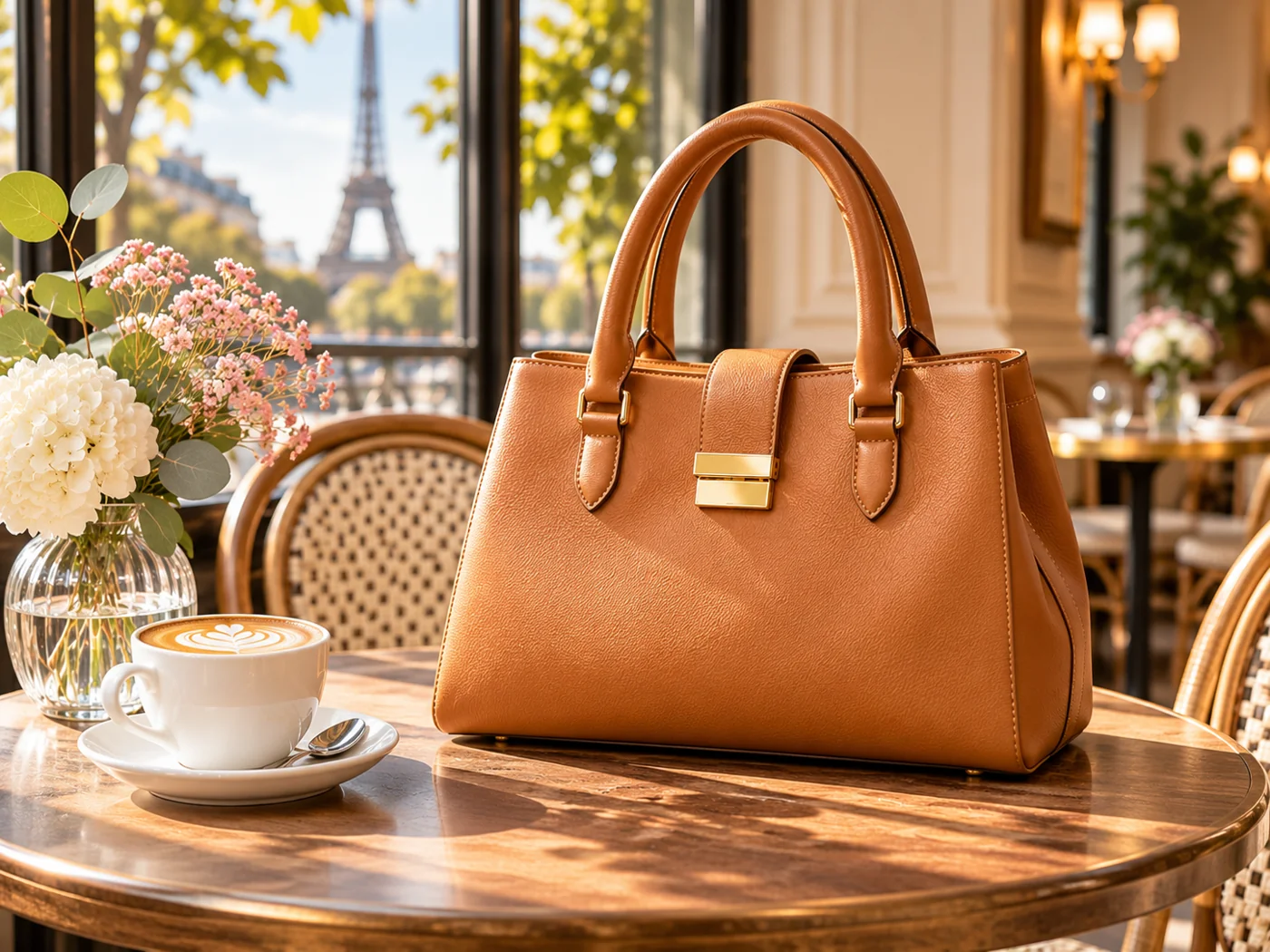
Fotografia lifestyle chodzi o pokazanie produktu w wiarygodnym otoczeniu.
Toreczek fotografowany na neutralnym tle może zostać zaprezentowany w kawiarni, butiku lub stylowym apartamencie.
Place the uploaded handbag naturally on a beautiful wooden table in an elegant Parisian café.


Warm morning sunlight through large windows, subtle background blur, neutral beige and cream interior, tasteful lifestyle editorial photography, realistic contact shadows, natural perspective, premium fashion magazine aesthetic.

The handbag must retain its exact shape, color, straps, stitching and hardware.

No people touching the product. Horizontal 4:3 composition.
How to make the result believable
Pay attention to the product's scale and perspective. Toreczek powinien naturalnie spocząć na stole, z cieniem pasującym do kierunku światła z okna.
Unikaj proszenia AI o wynalezienie dodatkowych kątów produktu lub ukrytych szczegółów.
Możesz dostosować tę technikę do ekspresów do kawy, lamp, akcesoriów domowych, zegarków i mebli.
5. Reklama na fresh air: transformacja butów w kampanię przygodową
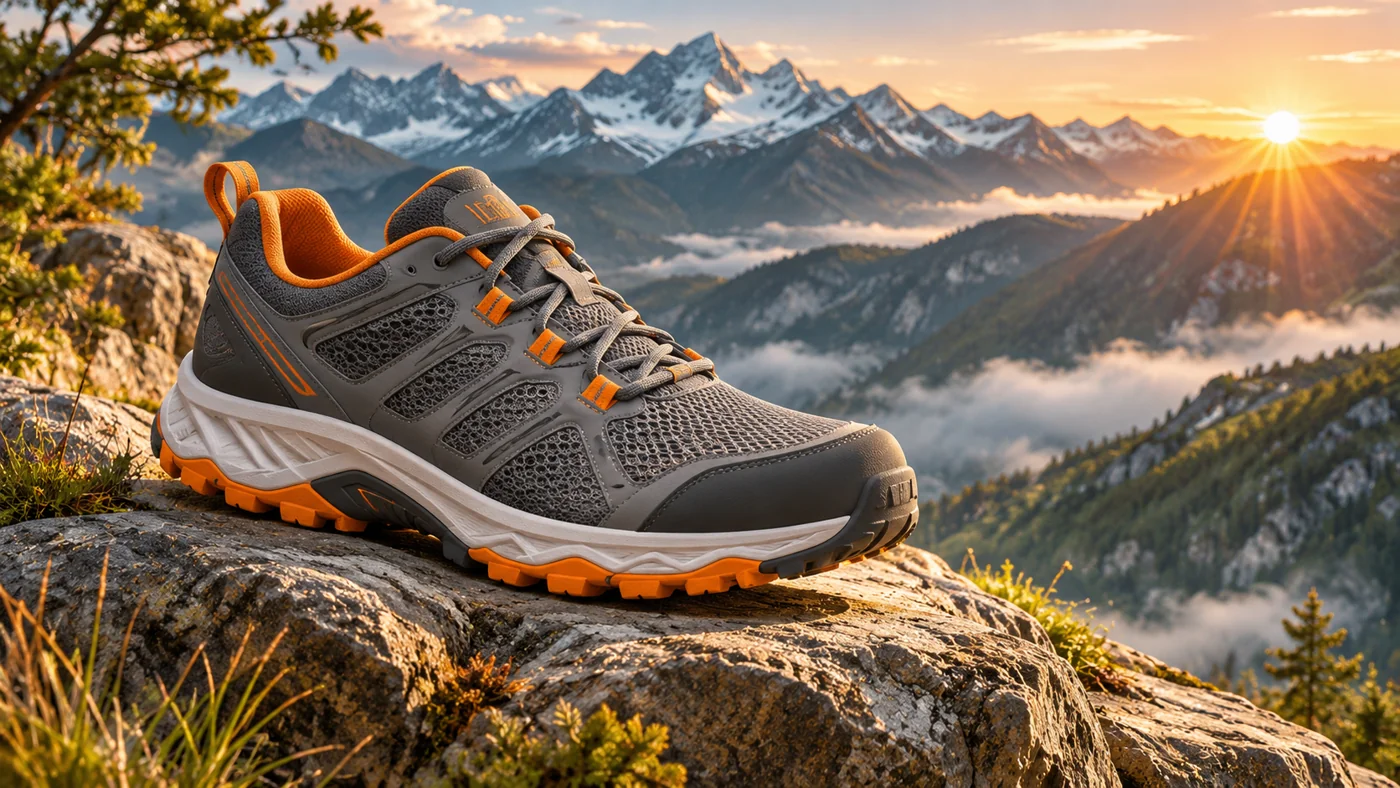
Fotografia na fresh air może być trudna do zorganizowania, szczególnie dla małych firm e-commerce.
AI backgrounds pozwalają tworzyć sceny górskie, pustynne, plażowe i leśne bez konieczności podróży do tych lokalizacji.
Use the uploaded shoe as the exact product reference.


Place the shoe on a rugged mountain rock overlooking a dramatic alpine valley at sunrise. Atmospheric mist, distant peaks, warm golden sunlight, natural rock textures, dynamic outdoor sports advertising composition, realistic contact shadow.

Preserve the shoe's original shape, sole, stitching, colors and materials.

Wide 16:9 composition. No text or additional products.
Variation: Replace the mountain setting with a sunlit desert canyon with warm orange sand or a wet forest trail with atmospheric morning fog.
Dla rzeczywistych listingów butów, nie używaj generowanych scen, aby sugerować cechy wydajnościowe, których buty nie miały pokazane.
6. Reklama futuristiczna: słuchawki z neonowym oświetleniem
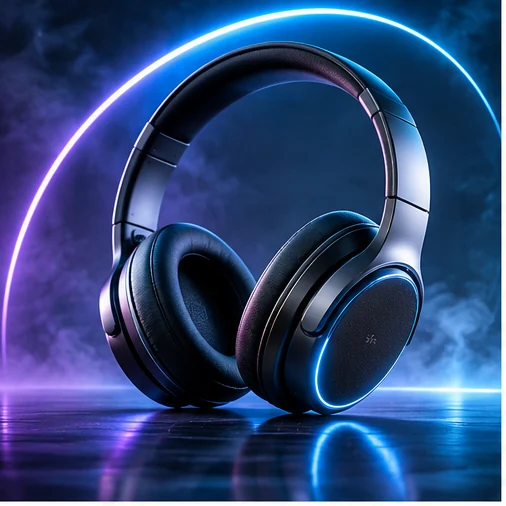
Techniczne products often look impressive under controlled colored lighting.
Neon blue, purple, and cyan highlights mogą stworzyć futuristic atmosphere bez potrzeby budowy skomplikowanych fizycznych zestawów.
Create a futuristic premium technology advertising scene featuring the uploaded headphones.


Dark minimalist studio, electric blue and violet rim lighting, subtle illuminated geometric elements in the background, polished reflective surface, dramatic contrast, precise commercial product photography.

Preserve the original headphones, including the headband, earcups, controls and logos. Do not invent additional product features.

Horizontal 16:9 composition.

For a more minimalist result, reduce the number of background elements and use a single colored light source.

This approach also works for keyboards, speakers, gaming accessories, and small electronics.
7. Sezonowe kampanie: jeden produkt, wiele wizualnych tożsamości
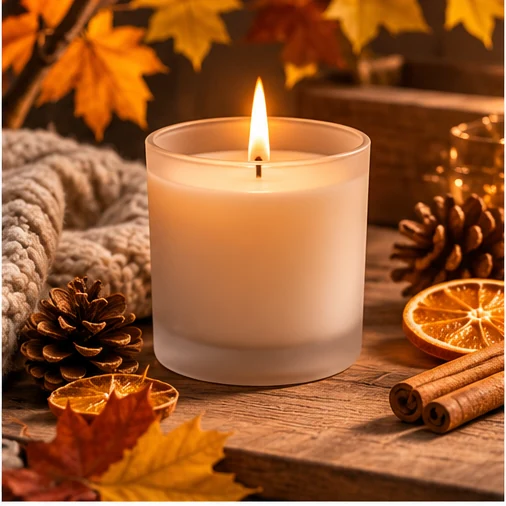
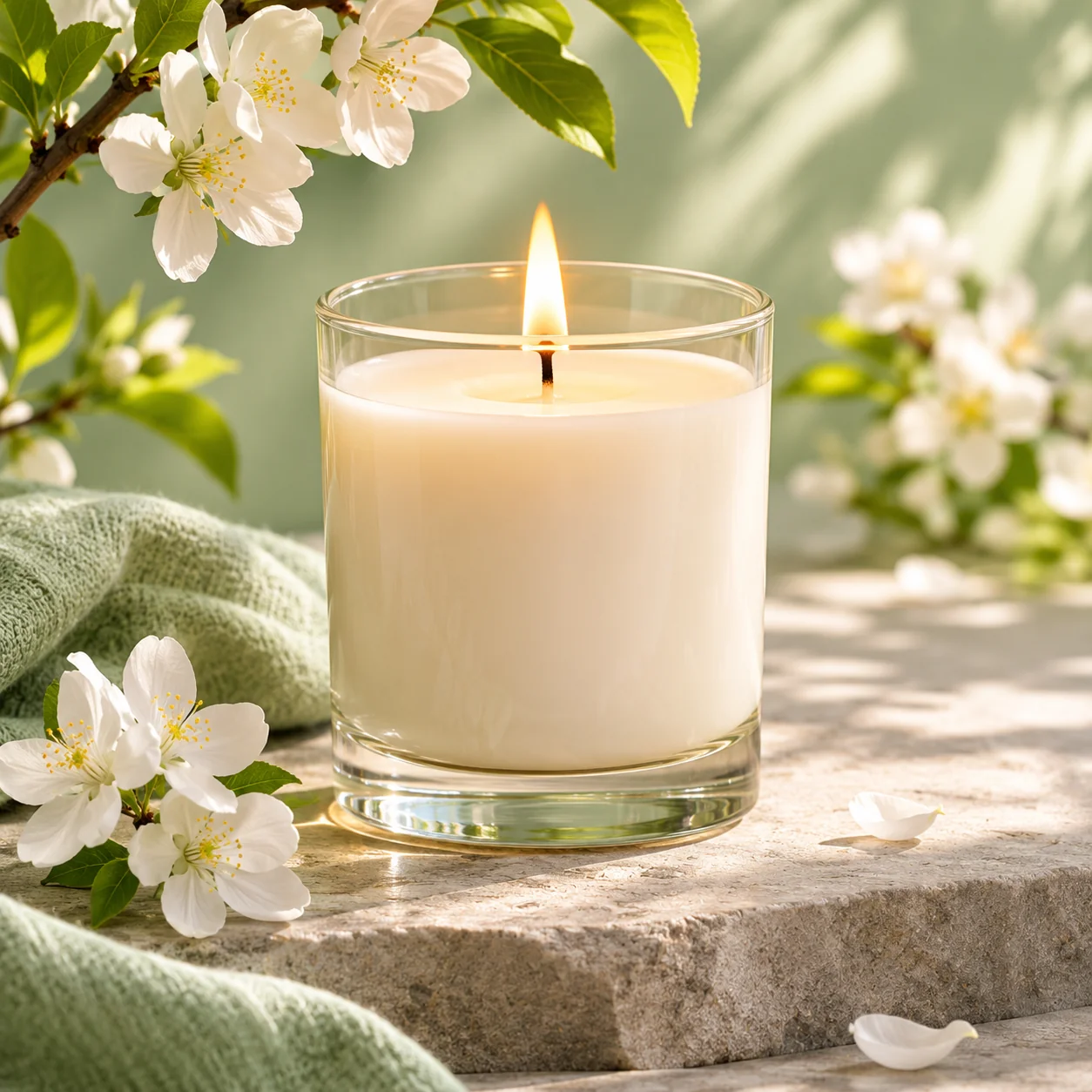
Sezonowe variations: warm autumn and fresh spring.
Nie potrzebujesz organizować nowego photoshoot dla każdej sezonowej promocji.
Zmieniając otoczenie, ten sam produkt może pojawić się w różnych stylach kampanii.
Create a cozy winter holiday advertising scene around the uploaded candle.


Natural pine branches, subtle warm fairy lights, elegant neutral decorations, soft golden bokeh, sophisticated festive atmosphere, premium lifestyle photography.

Keep the original candle unchanged and clearly visible. Do not generate text, branding or extra products.

Vertical 4:5 composition.
For spring, replace the seasonal description with delicate flowers, pastel colors, fresh botanical atmosphere and bright natural daylight.
For summer, try sunlit Mediterranean stone, warm shadows, subtle citrus elements and a fresh minimal aesthetic.
8. Floating product photography: create impossible compositions
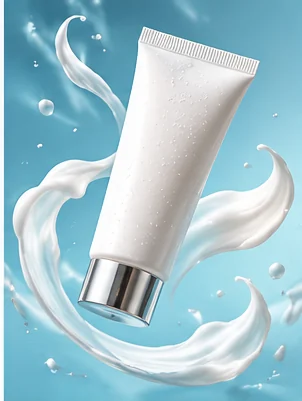
Some of the most memorable product advertisements use compositions that would be difficult to photograph physically.
Floating products, suspended objects, and surreal backgrounds can produce striking campaign visuals.
Create a surreal yet photorealistic beauty advertising composition using the uploaded product.


The product appears suspended in mid-air, surrounded by elegant translucent glass spheres and soft floating decorative elements. Pastel lavender background, subtle gradient lighting, sophisticated shadows, clean commercial studio aesthetic.

Preserve the exact product appearance and label. Keep the composition premium, weightless and visually balanced.

Square 1:1 format.

Use this style primarily for creative advertising rather than the main factual product photograph.

If the AI changes the packaging or label, restore the original product layer.
9. Consistent ecommerce catalog photography
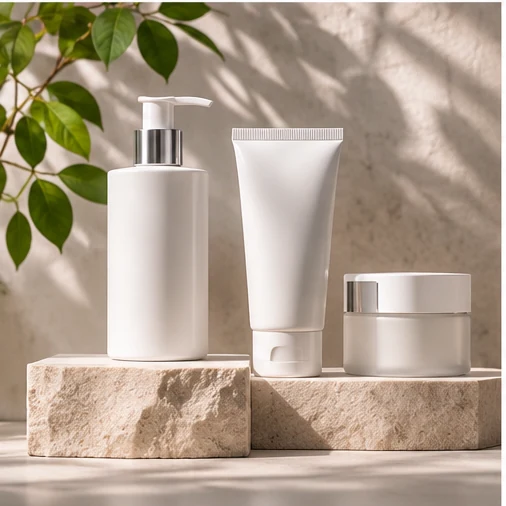
Ecommerce store looks more professional when its product images share a consistent style.
Tło, kierunek oświetlenia, skala produktu i marginesy powinny być spójne.
Create a clean professional ecommerce studio background for the uploaded product.


Warm off-white seamless backdrop, soft diffused lighting from the upper left, subtle realistic contact shadow, neutral commercial product photography, centered composition, generous consistent margins, no props or decorative objects.

Preserve the product exactly as photographed. Use the same background tone, lighting direction and visual style across the entire catalog.

Square 1:1 composition.
How to keep multiple products consistent
Create one approved reference image, then reuse the same background, lighting, and framing instructions.
Photoroom's reference-image and batch tools can help with this process, depending on the available features.
For strict consistency, a fixed background template is often more reliable than generating a completely new environment for every product.
10. Ecommerce homepage banners: leave room for your message

Common mistake when generating website banners is placing the product in the middle, leaving no room for a headline or call-to-action button.
Zamiast tego, opisz desired layout bezpośrednio w prompcie.
Create a premium ecommerce homepage hero image using the uploaded coffee machine.


Place the product on the right third of the composition, on a beautiful minimalist kitchen counter. Warm natural morning light, elegant modern interior, subtle depth of field, realistic shadows, premium lifestyle photography.

Leave the left half visually simple and uncluttered for a website headline and call-to-action button.

No generated text. Preserve the exact product design. Wide 16:9 composition.
Add the headline and button using HTML and CSS rather than embedding them in the image.
To keeps text accessible, responsive, and easy to translate.
11. Social media advertising: create bold campaign visuals
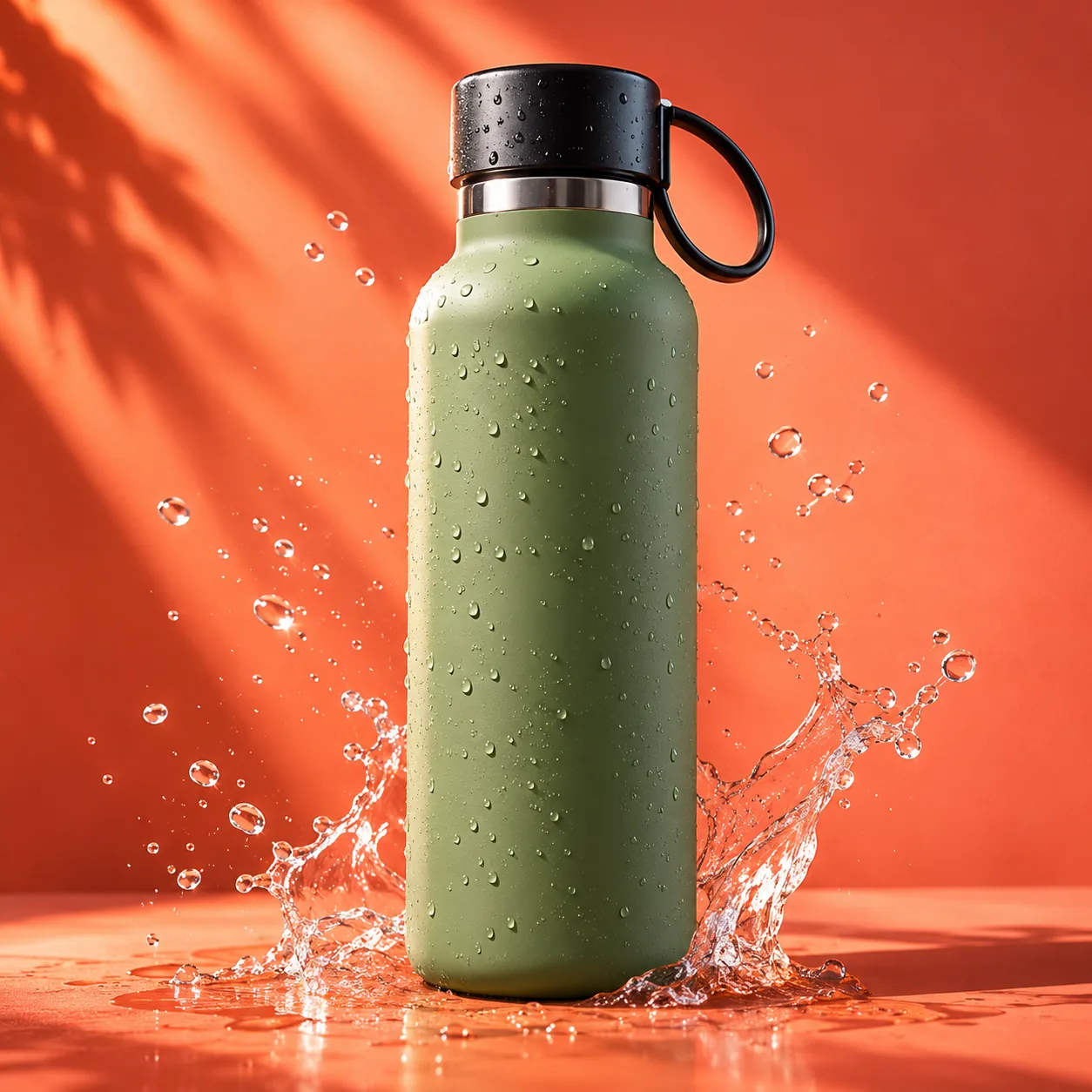
Social media campaigns often need more energetic compositions than standard ecommerce product pages.
Bold colors, geometric elements, and strong contrast can help the product stand out.
Create a bold modern social media advertising visual featuring the uploaded reusable bottle.


Vibrant coral and orange gradient background, geometric studio podium, energetic diagonal lighting, clean graphic composition, subtle realistic shadows, contemporary commercial photography.

Keep the bottle unchanged and prominently visible. Leave space for a promotional message to be added later.

No generated text. Vertical 4:5 format.
Create separate compositions for different placements rather than relying on automatic cropping.
A square product card, a portrait social post, and a wide homepage banner have different layout requirements.
12. Buduj własny prompt AI do fotografii produktu
Możesz reuse ten sam basic structure dla almost any physical product.
Dobry prompt opisuje otoczenie, oświetlenie, styl fotografii, kompozycję i to, co musi pozostać niezmienione.
Sześć essential elements of an effective prompt
| Element | What to describe |
|---|---|
| Product | What must remain unchanged |
| Environment | Where the product appears |
| Lighting | Direction, color and softness |
| Style | Luxury, lifestyle or editorial |
| Composition | Position, crop and empty space |
| Constraints | What the AI must not invent |
Interaktywny budownik promptów AI do produktu
Wybierz preferowane otoczenie, oświetlenie, styl fotografii i format obrazu. Narzędzie automatycznie buduje kompletny prompt w języku angielskim, który możesz skopiować do edytora obrazów.
Build your own AI product photography prompt
Choose a scene, lighting, visual style and format. Copy the result into your AI image editor.
Use an actual product photo as the reference.
Ten builder produce text prompt. You still need to upload your own product photograph to the chosen image editing tool.
13. Dlaczego twoje obrazy AI czasem wyglądają źle
Even a detailed prompt can produce disappointing results. Oto najpowszechniejsze problemy i jak je naprawić. Problem What to do Product shape changes Protect the original product layer; edit the background only Labels or logos become distorted Restore the original label pixels rather than regenerating text Product appears to float Add a contact shadow and a realistic supporting surface Image looks artificial Reduce excessive glow, reflections and decorative elements Product appears too large Adjust its scale relative to surrounding objects Catalog images look inconsistent Reuse the same reference background, framing and lighting
Praktyczna technika troubleshooting to zmiana tylko jednego elementu promptu na raz.
If the scene looks too artificial, keep the environment but replace dramatic cinematic lighting with soft natural daylight.
If the composition is too cluttered, remove unnecessary props instead of rewriting the entire prompt.
And if the product itself changes, stop generating over the product and switch to a background-only workflow.
14. Optymalizacja obrazów AI dla twojej strony e-commerce
Once you've approved the visual result, prepare it for the web.
Wysokie rozdzielczości obraz może looks excellent, ale needlessly spowolnić twoją witrynę, jeśli uploaded go bez optymalizacji. Usage Suggested dimensions Format Product card 600 × 600 px WebP Product detail image 1200 × 1200 px WebP Social media portrait 1080 × 1350 px WebP Homepage hero 1600 × 900 px WebP
To są suggested starting dimensions, nie universal requirements.
Zachowaj high-quality master i eksportuj osobne pliki dla każdego placement.
Użyj descriptive filenames takich jak perfume-luxury-studio.webp lub handbag-paris-cafe.webp.
Dla obrazu na stronie, podaj meaningful alternative text i explicit dimensions: <img src="/images/perfume-luxury-studio.webp" alt="Amber perfume bottle on a black marble pedestal" width="1200" height="1200" loading="lazy">
Dla głównego obrazu above-the-fold, ocen, czy eager loading jest bardziej odpowiedni.
Check marketplace requirements
Jeśli submitting AI-generated images do Google Merchant Center, sprawdź Google's generative AI image metadata requirements.
Google specifies provenance information for generative AI imagery. Avoid removing required metadata during export, optimization or CDN processing.
Również upewnij się, że twoje obrazy produktu accurately reprezentują przedmioty, które sprzedasz. Impressive background jest useful; invented feature lub accessory nie jest.
15. Które narzędzie powinienem wybrać?
Your goal Recommended starting point Remove backgrounds quickly Photoroom Create lifestyle product scenes Photoroom Produce consistent catalog backgrounds Photoroom Edit selected regions precisely Adobe Firefly Create elaborate creative compositions Adobe Firefly Prepare complex layered advertising images Adobe editing workflow
Dla majority ecommerce beginners, start with Photoroom, aby nauczyć się background generation i catalog consistency.
Następnie explore Adobe Firefly, gdy potrzebujesz więcej kontroli nad selected areas i elaborate compositions.
Oba narzędzia mogą wymagać subskrypcji lub generation credits dla niektórych funkcji. Check their current plans and commercial-use terms.
Conclusion: one product photo, dozens of creative possibilities
AI product photography idzie daleko poza usuwanie backgrounds.
Z right techniques, możesz zamienić ordinary photograph w luxury advertisement, outdoor campaign, seasonal promotion lub professional homepage banner.
Start z real product photograph, choose a visual direction, and use a detailed prompt that describes the lighting, environment, composition, and constraints.
Następnie refine result, compare it against the original product, and export it for the intended platform.
The best AI product image combines creativity with accuracy: it makes the product look exceptional without changing what customers will actually receive.