
GitHub Actions에서 Node.js 20이 지원 중단: 워크플로우를 감사하고 수정하는 방법
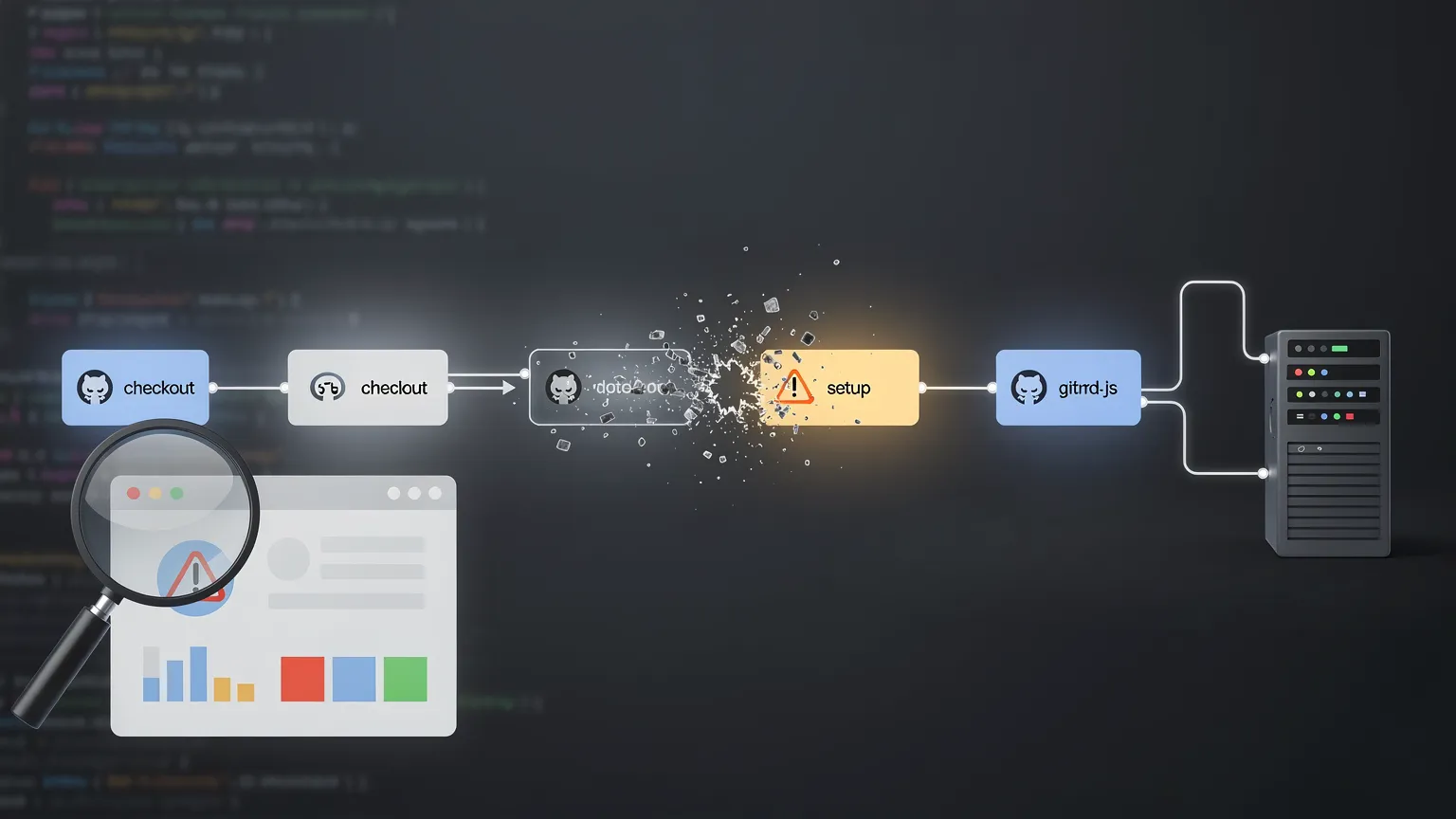
GitHub Actions는 더 이상 JavaScript 액션용 Node.js 20 런타임을 제공하지 않습니다. 애플리케이션이 Node.js를 사용하지 않더라도, 오래된 checkout, setup 또는 서드파티 액션이 CI 문제를 일으킬 수 있습니다. 워크플로우를 감사하고, 커스텀 액션을 업데이트하며, 셀프 호스티드 러너를 안전하게 확인하는 방법은 다음과 같습니다.
GitHub Actions, Node.js 20 지원 중단: 워크플로 감사 및 수정 방법
A GitHub Actions workflow can depend on Node.js even when the project it builds contains no JavaScript at all.
GitHub Actions 워크플로는 빌드하는 프로젝트에 JavaScript가 전혀 없어도 Node.js에 의존할 수 있습니다.
That detail has become important.
그 사실이 중요해졌습니다.
On September 23, 2026, GitHub completed the removal of Node.js 20 from GitHub Actions runners. JavaScript actions now run on Node.js 24, and the temporary compatibility switch that previously allowed users to remain on Node 20 is no longer available.
2026년 9월 23일, GitHub는 GitHub Actions 실행기에서 Node.js 20 제거를 완료했습니다. JavaScript 액션은 이제 Node.js 24에서 실행되며, 이전에 사용자가 Node 20에 머물 수 있게 했던 일시적 호환성 스위치는 더 이상 사용할 수 없습니다.
For many repositories, nothing needs to change. Current versions of GitHub's first-party actions have already moved to Node 24.
많은 저장소의 경우 변경할 필요가 없습니다. GitHub 자체 액션의 현재 버전은 이미 Node 24로 이전되었습니다.
Older workflows, custom JavaScript actions and some self-hosted runners deserve an audit, however.
그러나 이전 워크플로, 사용자 정의 JavaScript 액션, 일부 자체 호스팅 실행기는 감사가 필요합니다.
The important distinction is understanding which Node.js runtime GitHub is talking about.
중요한 구분은 GitHub가 어떤 Node.js 런타임에 대해 이야기하는지 이해하는 것입니다.
Your application runtime and your Action runtime are different things
애플리케이션 런타임과 액션 런타임은 다른 것입니다
Consider a PHP project with this workflow:
PHP 프로젝트와 이 워크플로를 고려해 보세요:
steps:
  - uses: actions/checkout@v4

  - name: Install dependencies
    run: composer install

  - name: Run tests
    run: vendor/bin/phpunit
steps:
- uses: actions/checkout@v4
- name: Install dependencies
run: composer install
- name: Run tests
run: vendor/bin/phpunitThe application is PHP. But actions/checkout is itself a JavaScript action. GitHub executes its JavaScript using a Node.js runtime bundled with the Actions runner.
애플리케이션은 PHP입니다. 하지만 actions/checkout은 그 자체로 JavaScript 액션입니다. GitHub는 Actions 실행기에 번들된 Node.js 런타임을 사용하여 해당 JavaScript를 실행합니다.
That runtime is independent from Node.js installed by your workflow. Likewise, actions/setup-node can install Node 22 for subsequent workflow commands while the action itself executes with the runtime declared in its metadata.
이 런타임은 워크플로가 설치한 Node.js와 독립적입니다. 마찬가지로 actions/setup-node은 후속 워크플로 명령에 대해 Node 22를 설치할 수 있지만, 액션 자체는 해당 메타데이터에 선언된 런타임으로 실행됩니다.
That distinction explains why the Node 20 removal potentially affects PHP, Python, Go, Java and other non-Node projects.
이 구분은 Node 20 제거가 PHP, Python, Go, Java 및 기타 비-Node 프로젝트에 잠재적으로 영향을 미칠 수 있는 이유를 설명합니다.
What exactly changed?
정확히 무엇이 변경되었나요?
GitHub announced the Node 20 deprecation well in advance because Node.js 20 reached end of life in April 2026. GitHub began switching Actions to Node 24 by default in June 2026. During the migration period, users could temporarily opt back into the obsolete runtime with ACTIONS_ALLOW_USE_UNSECURE_NODE_VERSION. That was only a migration escape hatch.
GitHub는 Node.js 20이 2026년 4월에 수명 종료에 도달했기 때문에 Node 20 사용 중단을 사전에 발표했습니다. GitHub는 2026년 6월에 Actions를 기본적으로 Node 24로 전환하기 시작했습니다. 마이그레이션 기간 동안 사용자는 ACTIONS_ALLOW_USE_UNSECURE_NODE_VERSION을 통해 일시적으로 구식 런타임으로 되돌아갈 수 있었습니다. 이는 마이그레이션 탈출구에 불과했습니다.
On September 23, 2026, GitHub removed Node 20 from GitHub Actions runners and removed that opt-out. If an action you maintain still declares Node 20, GitHub's recommendation is to update it to Node 24 and publish a new release.
2026년 9월 23일, GitHub는 GitHub Actions 실행기에서 Node 20을 제거하고 해당 옵트아웃도 제거했습니다. 귀하가 유지 관리하는 액션이 여전히 Node 20을 선언하는 경우, GitHub의 권장 사항은 Node 24로 업데이트하고 새 릴리스를 게시하는 것입니다.
First audit: inspect every uses: line
첫 번째 감사: 모든 uses: 줄 검사
The simplest workflow audit starts in .github/workflows. Search for uses: and inventory first-party and third-party actions. Do not assume that a workflow is current merely because it still runs.
가장 단순한 워크플로 감사는 .github/workflows에서 시작합니다. uses:을 검색하고 자체 및 타사 액션의 목록을 작성하세요. 워크플로가 여전히 실행된다고 해서 최신이라고 가정하지 마세요.
For each action, determine whether the version referenced by your workflow is a current release that supports Node 24. Third-party actions deserve particular attention: check their release history before changing major versions blindly. Inputs, defaults, authentication mechanisms and cache behavior can change independently of the Node migration.
각 액션에 대해 워크플로가 참조하는 버전이 Node 24를 지원하는 최신 릴리스인지 확인하세요. 타사 액션은 특히 주의가 필요합니다: 주요 버전을 무작정 변경하기 전에 릴리스 기록을 확인하세요. 입력, 기본값, 인증 메커니즘 및 캐시 동작은 Node 마이그레이션과 독립적으로 변경될 수 있습니다.
Custom JavaScript actions require a different fix
사용자 정의 JavaScript 액션은 다른 수정 사항이 필요합니다
If you maintain your own JavaScript action, inspect its action.yml or action.yaml. A JavaScript action may still contain:
자체 JavaScript 액션을 유지 관리하는 경우 해당 action.yml 또는 action.yaml을 검사하세요. JavaScript 액션에는 여전히 다음이 포함될 수 있습니다:
runs:
  using: node20
  main: dist/index.js
runs:
using: node20
main: dist/index.jsThe runtime declaration should target Node 24:
런타임 선언은 Node 24를 대상으로 해야 합니다:
runs:
  using: node24
  main: dist/index.js
runs:
using: node24
main: dist/index.jsChanging that line is only the beginning. Test the action under Node 24, update dependencies where required and rebuild any committed dist/ bundle. Otherwise consumers may continue executing old generated JavaScript even though the source has changed.
이 줄을 변경하는 것은 시작에 불과합니다. Node 24에서 액션을 테스트하고, 필요한 경우 종속성을 업데이트하며, 커밋된 dist/ 번들을 다시 빌드하세요. 그렇지 않으면 소스가 변경되었음에도 소비자가 이전 생성 JavaScript를 계속 실행할 수 있습니다.
A safe migration is to update the development environment, update dependencies, change runs.using, rebuild the distributed JavaScript, run tests, exercise the action in a real workflow and then publish a new release.
안전한 마이그레이션은 개발 환경을 업데이트하고, 종속성을 업데이트하고, runs.using을 변경하고, 배포된 JavaScript를 다시 빌드하고, 테스트를 실행하고, 실제 워크플로에서 액션을 실행한 다음 새 릴리스를 게시하는 것입니다.
Self-hosted runners need special attention
자체 호스팅 실행기는 특별한 주의가 필요합니다
GitHub-hosted runners are maintained by GitHub. Self-hosted runners are different. The runner application contains the Node.js executables used by JavaScript actions, making the runner version important. Recent Node-24-based action releases require a sufficiently recent Actions Runner.
GitHub 호스팅 실행기는 GitHub가 유지 관리합니다. 자체 호스팅 실행기는 다릅니다. 실행기 애플리케이션에는 JavaScript 액션에서 사용하는 Node.js 실행 파일이 포함되어 있어 실행기 버전이 중요합니다. 최근 Node-24 기반 액션 릴리스는 충분히 최근의 Actions Runner를 필요로 합니다.
If your organization operates self-hosted runners, include their versions, operating systems and architectures in the migration audit rather than looking only at workflow YAML. Old operating systems can become the hidden blocker because Node 24 changes the supported platform baseline.
귀하의 조직이 자체 호스팅 실행기를 운영하는 경우, 마이그레이션 감사 시 워크플로 YAML만 보는 것이 아니라 해당 버전, 운영 체제 및 아키텍처를 포함하세요. Node 24가 지원되는 플랫폼 기준을 변경하기 때문에 이전 운영 체제가 숨겨진 차단 요소가 될 수 있습니다.
CodeQL has its own migration path
CodeQL은 자체 마이그레이션 경로를 가집니다
Repositories using GitHub code scanning should inspect their CodeQL workflow too. CodeQL Action v4 uses the Node.js 24 runtime. Advanced CodeQL setups should therefore be checked for older github/codeql-action references and migrated according to GitHub's current compatibility guidance.
GitHub 코드 스캐닝을 사용하는 저장소는 CodeQL 워크플로도 검사해야 합니다. CodeQL Action v4는 Node.js 24 런타임을 사용합니다. 따라서 고급 CodeQL 설정은 이전 github/codeql-action 참조를 확인하고 GitHub의 현재 호환성 지침에 따라 마이그레이션해야 합니다.
A useful audit command
유용한 감사 명령
On a Unix-like development machine, a quick first pass is:
유닉스 유사 개발 머신에서 빠른 첫 번째 패스는 다음과 같습니다:
grep -R "uses:" .github/workflowsgrep -R "uses:" .github/workflowsFor custom actions inside the repository:
저장소 내 사용자 정의 액션의 경우:
grep -R "using:.*node20" . --include="action.yml" --include="action.yaml"grep -R "using:.*node20" . --include="action.yml" --include="action.yaml"These searches do not prove compatibility, but they provide an efficient inventory. The goal is to answer three questions: which actions are used, which versions are pinned, and which custom actions still declare an obsolete runtime?
이 검색은 호환성을 증명하지는 않지만 효율적인 목록을 제공합니다. 목표는 세 가지 질문에 답하는 것입니다: 어떤 액션이 사용되는지, 어떤 버전이 고정되어 있는지, 어떤 사용자 정의 액션이 여전히 구식 런타임을 선언하는지?
Should actions be pinned to tags or commit SHAs?
액션을 태그 또는 커밋 SHA에 고정해야 하나요?
A runtime migration is also a good opportunity to review supply-chain hygiene. A reference such as vendor/action@v4 can be moved by its maintainer, while a full commit SHA identifies an immutable revision.
런타임 마이그레이션은 공급망 위생을 검토할 좋은 기회이기도 합니다. vendor/action@v4과 같은 참조는 유지 관리자가 이동할 수 있는 반면, 전체 커밋 SHA는 불변 리비전을 식별합니다.
For security-sensitive workflows, pinning third-party actions to full commit SHAs can reduce the risk of unexpected code changes. The trade-off is maintenance: updates then require a deliberate process or dependency-update tooling.
보안에 민감한 워크플로의 경우 타사 액션을 전체 커밋 SHA에 고정하면 예기치 않은 코드 변경 위험을 줄일 수 있습니다. 상충 관계는 유지 관리입니다: 업데이트는 의도적인 프로세스 또는 종속성 업데이트 도구가 필요합니다.
Be especially careful with privileged pull-request workflows
권한 있는 풀 리퀘스트 워크플로에는 특히 주의하세요
Updating old actions is important, but the workflow security model matters even more. pull_request_target can run with access to the base repository's token, secrets and cache. Checking out attacker-controlled pull-request code inside such a privileged workflow can create a serious supply-chain vulnerability.
이전 액션을 업데이트하는 것은 중요하지만, 워크플로 보안 모델이 더욱 중요합니다. pull_request_target은 기본 저장소의 토큰, 시크릿 및 캐시에 대한 액세스 권한으로 실행될 수 있습니다. 이러한 권한 있는 워크플로 내부에서 공격자 제어 풀 리퀘스트 코드를 체크아웃하면 심각한 공급망 취약점이 생성될 수 있습니다.
When auditing workflow files for Node 24, inspect their triggers and permissions at the same time. A modern runtime does not make an unsafe workflow secure.
Node 24용 워크플로 파일을 감사할 때는 트리거와 권한도 동시에 검사하세요. 최신 런타임이 안전하지 않은 워크플로를 안전하게 만들지는 않습니다.
A practical migration checklist
실용적인 마이그레이션 체크리스트
Start by listing all uses: references in .github/workflows. Upgrade obsolete first-party actions after reviewing release notes. Check every third-party action for a maintained Node-24-compatible version. Search custom action metadata for node20, migrate it to node24, rebuild bundles and test.
먼저 .github/workflows의 모든 uses: 참조를 나열하세요. 릴리스 노트를 검토한 후 구식 자체 액션을 업그레이드하세요. 모든 타사 액션이 유지 관리되는 Node-24 호환 버전인지 확인하세요. 사용자 정의 액션 메타데이터에서 node20을 검색하고, node24으로 마이그레이션하고, 번들을 다시 빌드하고 테스트하세요.
For self-hosted runners, verify runner version, operating system and architecture. Review CodeQL advanced workflows. Finally, exercise important release, scheduled and deployment workflows as well as the default CI path, because rarely used jobs are where old action versions often survive.
자체 호스팅 실행기의 경우 실행기 버전, 운영 체제 및 아키텍처를 확인하세요. CodeQL 고급 워크플로를 검토하세요. 마지막으로 중요 릴리스, 예약 및 배포 워크플로와 기본 CI 경로를 모두 실행하세요. 드물게 사용되는 작업에서 이전 액션 버전이 종종 남아 있기 때문입니다.
Why this migration is worth doing properly
이 마이그레이션을 제대로 수행할 가치가 있는 이유
Node.js runtime migrations inside GitHub Actions can look like somebody else's infrastructure problem. They are not. Actions are executable dependencies in your CI/CD system. They can build releases, handle credentials, upload artifacts and deploy production applications.
GitHub Actions 내 Node.js 런타임 마이그레이션은 다른 사람의 인프라 문제처럼 보일 수 있습니다. 그렇지 않습니다. 액션은 CI/CD 시스템의 실행 가능한 종속성입니다. 릴리스를 빌드하고, 자격 증명을 처리하고, 아티팩트를 업로드하고, 프로덕션 애플리케이션을 배포할 수 있습니다.
GitHub's move from Node 20 to Node 24 is therefore a useful reminder that CI dependencies have lifecycles just like application dependencies.
따라서 GitHub의 Node 20에서 Node 24로의 이동은 CI 종속성도 애플리케이션 종속성처럼 수명 주기가 있다는 유용한 알림입니다.
The immediate task is straightforward: remove remaining dependencies on obsolete JavaScript actions and update self-hosted infrastructure where necessary. The longer-term lesson is more valuable: treat .github/workflows as maintained application infrastructure, not configuration that can be written once and forgotten.
즉각적인 작업은 간단합니다: 구식 JavaScript 액션에 대한 남은 종속성을 제거하고 필요한 경우 자체 호스팅 인프라를 업데이트하세요. 더 장기적인 교훈은 더 가치가 있습니다: .github/workflows을 한 번 쓰고 잊을 수 있는 구성이 아니라 유지 관리되는 애플리케이션 인프라로 취급하세요.
A repository that periodically audits its actions, runner versions, permissions and third-party dependencies will be much better prepared for the next runtime transition—and considerably safer between migrations.
액션, 실행기 버전, 권한 및 타사 종속성을 정기적으로 감사하는 저장소는 다음 런타임 전환에 훨씬 더 잘 대비할 수 있으며, 마이그레이션 간에도 훨씬 안전할 것입니다.